


Welcome to the Indian monsoon.
Sure, the air feels a bit cooler, but the moisture? Off the charts. That thick blanket of humidity changes everything, especially who-or what-keeps you cool. Lots of folks don’t realise that their summer AC routine simply crashes during monsoon weather.
In fact, wrong knobs and switches could explain why you wake up grumpy and drained each morning, even after the unit hummed all night.
So let’s keep it simple. Let’s keep it comfy. Let’s run through science-backed, real-life-tested AC tricks that actually suit muggy Indian nights.
Why Indian Monsoons Feel Unbearable at Night
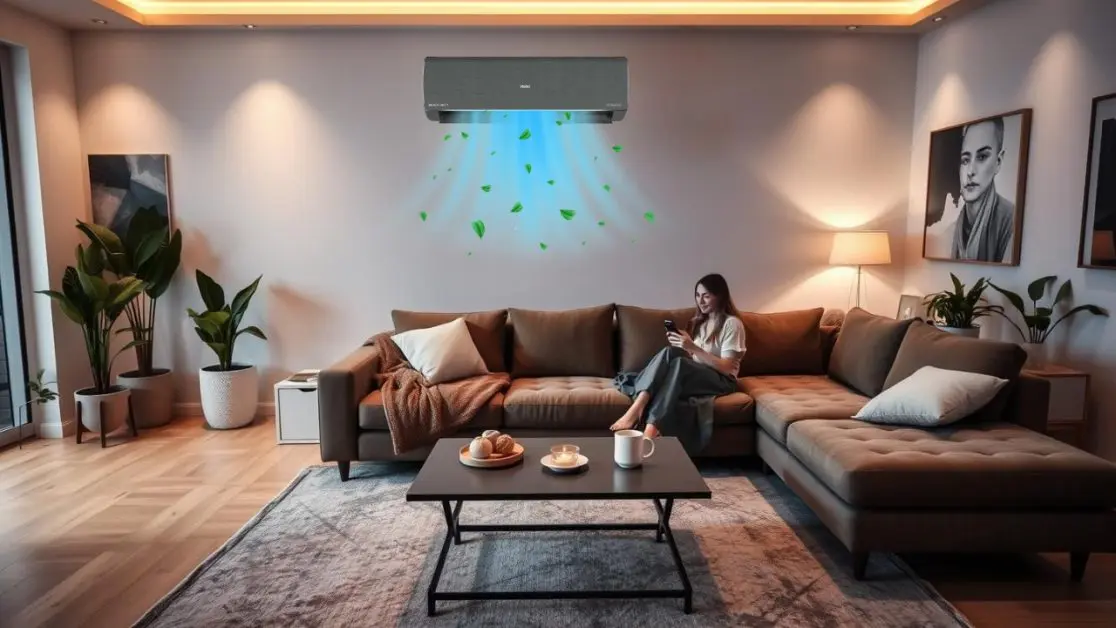
Humidity is sneaky. It doesn’t show up like blazing summer heat, but it clings to your skin. It soaks your bedsheets. It fills the air with that dull, heavy feeling that just won’t go away.
And during monsoon, even if your AC cools the room, it might not be removing the moisture that’s making you uncomfortable.
That’s why you need to understand not just temperature, but also humidity control.
Because when humidity crosses 60 percent (which it easily does across Mumbai, Chennai, Kolkata, Guwahati, and even Delhi at night), your body struggles to cool itself naturally.
AC Settings That Actually Help in a Sticky Monsoon Night

1. Start With Dry Mode The Monsoon MVP
If your AC has a “Dry Mode,” that’s your best friend during monsoon.
It’s designed to pull extra moisture from the air without making the room too cold.
When to use it:
Evenings, right after a rain shower, or during bedtime when the room feels damp but not hot.
Why it works:
- Removes humidity
- Keeps temperature between 24 and 26°C
- Saves energy
- Makes your room feel lighter and less sticky
Expert tip:
Run Dry Mode for one hour before sleeping. It will prep the room for comfort before you switch to Sleep Mode or Cool Mode.
2. Don’t Crank It to 16°C. Use Cool Mode Correctly
We all know someone who keeps the AC at 16°C thinking it will cool faster. That doesn’t work in the monsoon.
In fact, it creates condensation, increases humidity inside the room, and can even cause mold over time.
Instead, set your Cool Mode between 25 and 27°C.
Why this matters:
- The room stays comfortable, not cold
- You avoid waking up with a sore throat or stiff neck
- Energy use stays in control
- The compressor doesn’t overwork itself
If your AC supports temperature swings or “I Feel” sensors, use them. They detect how warm the room actually is, not just what you think it is.
3. Avoid Fan Mode Unless You’ve Already Dehumidified
Fan Mode sounds energy-efficient, but during humid nights, it’s often a mistake.
It doesn’t remove moisture. It just moves it around.
So unless you’ve already used Dry Mode or a dehumidifier, Fan Mode can make things feel even more muggy.
When Fan Mode is okay:
- Early morning hours
- During daytime if the outside air is already dry
- Along with a ceiling fan for air movement
4. Turn on Sleep Mode and Let It Handle the Night

Modern ACs come with Sleep Mode for a reason. It adjusts the cooling gently while you sleep.
Your body temperature naturally drops after 2 AM. Sleep Mode raises the AC temperature by 0.5 to 1°C per hour so you don’t wake up freezing.
Bonus:
It also saves power and balances humidity.
If your AC doesn’t have a Sleep Mode, you can manually set a timer. Start with Dry Mode or Cool Mode at 26°C, then let the AC switch off after 2 3 hours.
5. AI Mode or Smart Sensing? Use It If You’ve Got It
If you have a smart AC like the Haier Gravity Series, there’s a reason you paid for those features.
AI Mode can detect humidity and temperature together and adjust automatically to create balanced comfort. It also learns from your past usage.
No need to guess which mode to use. Just turn it on and let the machine decide.
For Indian women juggling work-from-home, cooking, bedtime routines, and more, this is a game-changer. You’re not babysitting your AC every two hours. It does the thinking for you.
Lifestyle Tips That Make a Big Difference
These aren’t about your AC, but they help it work better.
1. Close All Windows and Use Thick Curtains
Even a small window gap can let in moisture-rich air. And yes, that lovely rain-smell comes with humidity too.
Use blackout curtains or thick cotton ones to insulate your room. It helps maintain both temperature and dryness.
2. Avoid Drying Clothes Indoors
Many Indian homes dry laundry inside due to rain. But that’s like asking your AC to fight a losing battle.
Each wet kurti or towel is adding moisture to the air. If possible, dry clothes in a ventilated balcony or spare room.
3. Change Your Bedding Setup
Use cotton bedsheets and avoid plastic mattress covers. If your mattress or pillow feels damp, switch it. Even the best AC can’t fight back if the bed itself traps moisture.
What About Turbo Mode?

Turbo Mode (also called Jet or Fast Cool) is great when you just come home and want quick relief.
But don’t sleep with it on.
Why?
- It runs the compressor at maximum speed
- Can overcool the room fast
- Doesn’t manage humidity properly
- Makes you feel cold but sticky
Use it for 15 minutes max. Then switch to Cool or Sleep Mode.
Common Mistakes Most Indian Homes Make During Monsoon
1. Keeping the AC at a low temperature all night
It backfires. You wake up with sinus issues or skin feeling weird.
2. Ignoring the filters
Monsoon means dust and moisture. That’s the perfect combo for mold. Clean your filters every week.
3. Blocking the vents
Heavy furniture or thick bed sheets blocking the AC flow? That reduces performance. Keep the area around your indoor unit clear.
4. Not using ceiling fans with the AC
Fans help circulate air and avoid cold pockets. Run it at the lowest speed to balance airflow.
5. Opening doors frequently
Every time the door opens, the humidity resets. Minimise foot traffic or keep another smaller fan running at the entrance to act like an air curtain.
Monsoon Mood + Smart Cooling = The Ideal Pair
At the end of a long day, when you finally crash on the bed after cooking dinner, finishing office work, helping kids with homework, or even just enjoying a hot cup of chai, you deserve one thing: a good night’s sleep.
And the right AC settings can actually make or break that.
It’s not about fancy features. It’s about using the right ones in the right season.
Why Haier’s Gravity Series Makes Monsoon Nights Easier

Let’s be honest. Most ACs are built for summer. But Haier’s Gravity Series takes humid nights seriously.
Here’s what makes it monsoon-proof:
Smart AI Mode
Learn from your comfort patterns. Adjusts humidity and cooling on its own.
Dry Mode That Actually Works
Unlike some basic ACs, this one removes just enough moisture without overcooling.
Turbo Mode with Control
Gives instant cooling when needed. Doesn’t drain power if you switch it at the right time.
Sleep Mode with Gradual Cooling
No freezing nights. Just calm, gentle cooling while you rest.
Self-Cleaning Function
Removes dust, bacteria, and moisture buildup inside the AC. No damp smell. No hidden mold.
5-Star Rating + Energy Efficiency
Lower electricity bills even during long humid nights.
You can explore the full lineup at Haier India’s official site. There’s a reason more and more Indian families are switching to smart cooling that actually suits our weather.
Final Thoughts
Monsoon in India isn’t about temperature drops. It’s about moisture. Stickiness. Sleepless nights.
And if your AC is still stuck in summer mode, you’re missing out.
By using the right settings Dry Mode, Smart AI, correct temperature, and simple lifestyle tweaks you can turn your home into a cool, calm retreat during even the muggiest monsoon weeks.
So, if your nights feel more like a steam room than a bedroom, it’s time to level up your cooling game. Smart settings + smart ACs are not luxury anymore. They’re comfortable and practical.
Sleep better. Breathe easier. And let your AC finally do its job right.