

You sync your smart TV with Google Home by connecting both devices to the same WiFi network, linking your Google account on the TV, adding the TV inside the Google Home app, and enabling hands free control.
On Haier Google TVs, this takes less than five minutes because Google Assistant, Chromecast and hands free voice controls are already built in.
That’s the technical answer.
The real answer is slightly different.
Syncing your TV with Google Home is not just a setup step. It’s a lifestyle shift.
A moment where your home stops feeling like a collection of gadgets and starts feeling like a system that listens, responds and flows with your day.
Because a synced home does something remarkable.
It removes friction before you notice it.
And that’s the feeling most of us are chasing.
Why syncing your TV with Google Home feels like a small upgrade that changes everything
It’s 9.45 pm. You’ve wrapped up dinner, the lights are dim, and the living room finally feels calm after a long weekday. You sit on the sofa and reach for the remote, only to realise someone (usually the youngest in the house) moved it during a cartoon marathon.
In most homes, this becomes a nightly ritual.
Shuffle cushions. Check under the throw. Ask around. Give up.
But in a synced home, the moment shifts.
You sit down, breathe out, and say:
Ok Google, turn on the TV.
And the room obeys.
No search. No switching inputs. No juggling remotes.
This is the hidden value of syncing your smart TV with Google Home.
It removes small frictions you’ve normalised without even noticing.
A synced TV does three things well:
- Responds instantly to voice
- Connects seamlessly to apps and devices
- Reduces the micro effort of everyday entertainment
And this is where Haier’s Google TVs already have a head start. Models like the Haier Mini LED series come with Google TV OS, built in Chromecast, hands free voice control and the Google Assistant baked into the system, so syncing with Google Home becomes a natural extension rather than an added chore.
What actually happens when a TV and Google Home work together
Think of your home like a theatre.
Lights, curtains, sound, projection. Everything works individually, but when the cues are in sync, the experience feels magical.
A synced smart TV transforms into one part of your home’s larger rhythm.
You can:
- Turn the TV on or off using voice
- Adjust volume without touching the remote
- Change input or switch apps hands free
- Control smart lights, AC or curtains while watching
- Start the exact show you left off on
And all of this happens because of one principle:
Devices that talk to each other create homes that feel effortless.
The simple checklist before you sync anything

This is where most people go wrong.
Not because the process is hard, but because we assume it is.
Before you open any app, run through this quick mental checklist.
It saves time, frustration and repeat attempts.
1. Are both devices on the same WiFi?
Your TV and your Google Home speaker must share the same network.
Different bands, different routers or mobile hotspots break the connection.
2. Is your Google account logged in on the TV?
On Haier Google TVs (like the 55, 65 or 189cm (75) Mini LED models), sign in using the Google prompt during setup.
3. Is the Google Home app updated?
Old versions delay device scans and show missing options.
4. Is Bluetooth turned on?
You won’t always need it, but it helps with device discovery during setup.
When these four things are aligned, syncing takes under two minutes.
The effortless way to sync your smart TV with Google Home
Here is the blended version of steps plus lived experience.
No jargon, no clutter, just what Indian households actually follow.
Step 1: Open the Google Home app
Most Indian users already have it installed because they use it for bulbs, speakers or AC controllers.
If not, download it from the Play Store or App Store.
Step 2: Tap the plus icon and select Set up device
This is where the Home app becomes your control room.
Step 3: Choose Works with Google
Your Haier Google TV falls under this category because it already runs on Google’s ecosystem.
Step 4: Select Haier or Google TV from the list
Depending on the model, you’ll see either ‘Google TV’, ‘Android TV’ or sometimes the specific brand.
Either option works.
Step 5: Sign in with the same Google account used on the TV
This is the key that unlocks syncing.
It tells the Home app your devices belong to you.
Step 6: Let Google Home scan and add the TV
It will appear as:
Living Room TV or
Haier TV or
TV available nearby
Select it and add it to the room.
Step 7: Enable hands free voice control
On Haier models with hands free support, you can now say:
Ok Google, play India match highlights on YouTube.
And it just works.
A small table that answers big questions
| Task | Controlled By | Voice Command Example |
| Turn TV on/off | Google Home + TV | Ok Google, turn on the TV |
| Change volume | Voice or Home app | Ok Google, volume 20 |
| Switch apps | TV + Google Assistant | Ok Google, open Netflix |
| Play specific content | TV + Google Assistant | Ok Google, play Kalki trailer |
| Control lights while watching | Home ecosystem | Ok Google, dim the lights to 20 percent |
| Control AC during a binge session | Smart AC or plug | Ok Google, increase temperature to 26 |
This is where the experience shifts from entertainment to environment.
You’re not just controlling a TV.
You’re designing the moment.
Why syncing feels especially relevant for Indian households in 2025
Every household has its own rhythm.
In some homes, grandparents want the remote simple.
In others, kids jump between apps faster than adults can follow.
Some couples want movie nights without scrolling through endless tiles.
Working professionals want the living room to feel calm, not cluttered.
Syncing solves for all these use cases at once.
For busy families
Voice control reduces five steps into one sentence.
For homes with multiple users
Google TV personalisation shows each person their own watchlist.
For parents
Hands free voice commands help when your hands are busy with dinner prep or baby care.
For solo workers
Your living room becomes your after work wind down zone with zero complexity.
For elderly users
Voice assistance eliminates small struggles like font size, remote handling or navigating deep menus.
The system adapts to the user, not the other way around.
Where Haier fits naturally into this story
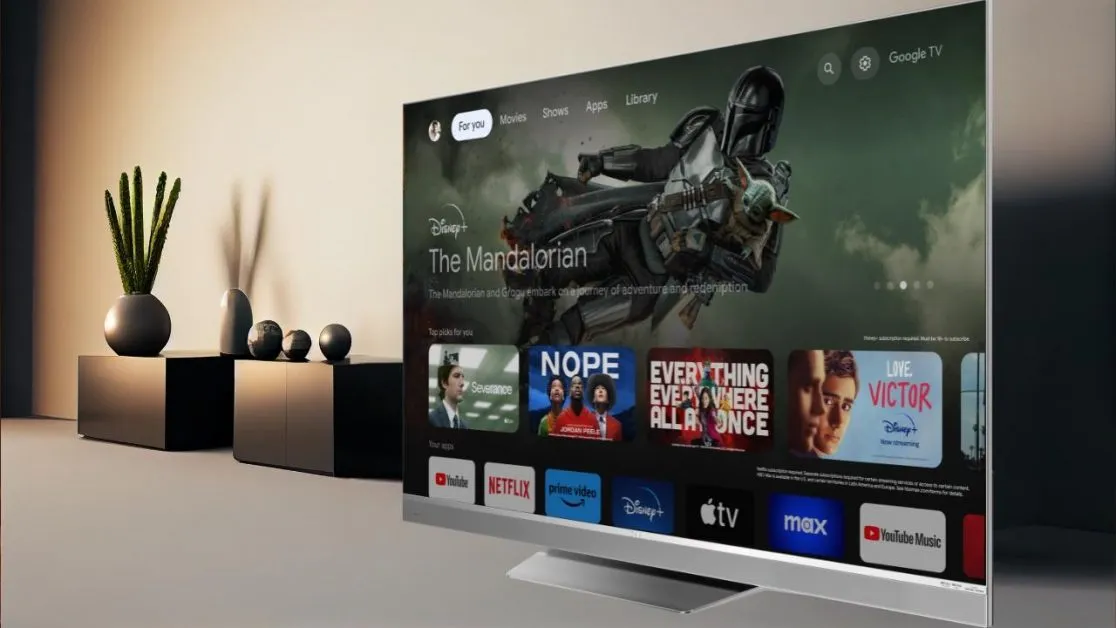
Haier’s newer TV models, especially the Mini LED line, come with features that quietly make syncing easier:
- Google TV OS
- Hands free voice control
- Chromecast built in
- Sound by KEF audio that pairs beautifully with voice commands
- Fast processors that handle multi device syncing smoothly
You’re not forcing compatibility.
You’re leaning into what the TV is already designed for.
A device should never make you work to use it.
It should work with you.
Troubleshooting that keeps the experience effortless
Homes are complex.
WiFi fluctuates.
Routers reboot.
Kids change settings.
Life happens.
Here is the practical fixes list that works most often.
1. If TV doesn’t appear in the Google Home app
Restart the TV.
Restart the router.
Then rescan.
2. If voice commands lag
Check if the TV’s microphone toggle is on.
Most Haier Google TVs have a mic switch near the bottom bezel.
3. If the TV responds only sometimes
Disable and re-enable Google Assistant inside the TV settings.
4. If casting fails
Ensure both devices are on 2.4 or 5 GHz but on the same band.
5. If the Home app says linked device not available
Update the Home app.
Update the TV software.
Then link again.
Homes stay smooth when systems stay updated.
The deeper truth about syncing your smart TV
This is not a tech tutorial.
It’s a mindset shift.
A synced home doesn’t save hours.
It saves moments.
And moments are what shape how our homes feel.
Syncing your smart TV with Google Home teaches one valuable principle:
Comfort is not built from big upgrades. It’s built from small conveniences that repeat every day.
When your TV responds to your voice, when your home adjusts without prompting, when the friction melts into the background, the result is simple.
You feel more at ease in your own space.
And that’s the real promise of a smart home.
Not a futuristic sci fi world.
Just a home that feels a little more yours.