
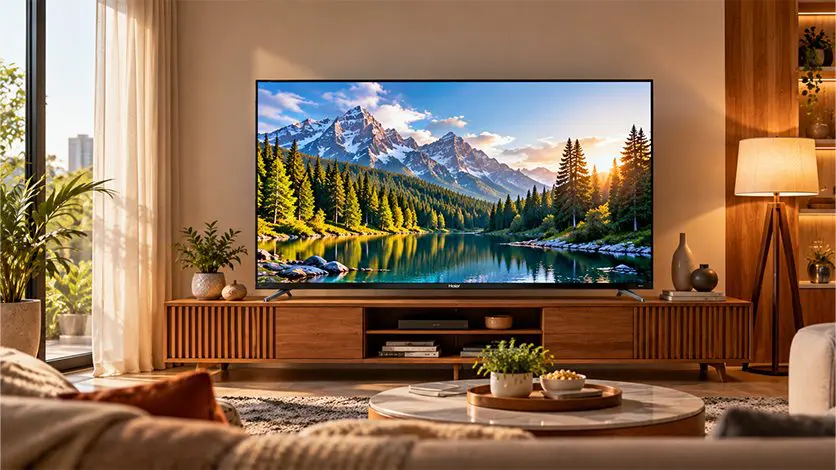

Spend a long evening in front of a TV, and you’ll notice tired eyes, mild headaches, and sometimes trouble falling asleep after a late binge. For families watching 3–4 hours a day, these aren’t rare complaints. They’re pretty routine.
TV makers have been quietly building in features to address this: low-blue-light panels, flicker-free backlighting, and ambient light sensing. The marketing can sound similar across brands, but what’s actually happening inside the TV, and whether it genuinely helps your eyes, is worth understanding before you buy.
This guide covers how eye comfort TV features work, which ones are backed by real science, and how to set up any TV you already own for more comfortable viewing.
Why TVs Can Cause Eye Strain
Modern TVs are brighter, bigger, and watched for longer than ever before. A few things combine to tire your eyes:
- Blue light exposure: display panels emit a slice of blue wavelengths that your eyes are more sensitive to, especially after sunset
- Screen flicker: some displays rapidly turn their backlight on and off to control brightness, which your brain may not consciously notice but your eyes still react to
- Ambient light mismatch: a very bright screen in a dim room, or a dim screen in a bright room, forces your eyes to constantly adjust
- Reduced blinking: staring at a screen cuts your natural blink rate roughly in half, which dries out the eyes
- Prolonged focus: looking at the same distance for hours tires the small muscles that focus your lens
Blue light and eyes are the most talked-about of these, but they’re not the only factors. The best eye-comfort setups address several of these at once.
Low Blue Light Technology
A low-blue-light TV reduces the amount of short-wavelength blue light the screen emits. The idea: cut the slice of light that most strains the eyes and most interferes with the body’s natural wind-down signals in the evening.
Hardware vs Software Blue-Light Reduction
Not every “low blue light” claim means the same thing:
- Hardware-level reduction: the panel and backlight are tuned to emit less blue wavelength at the source. The effect is consistent across modes and is typically certified by third-party bodies such as TÜV Rheinland or Eye Comfort Certification.
- Software-level reduction: the TV shifts the colour temperature warmer (adds yellow/red tones to counter the blue). Effective, but it visibly changes picture colour, so most buyers use it in the evening and switch it off during the day.
Hardware-level low blue light is the more technically meaningful approach, since it reduces exposure without visibly distorting the picture. Many Haier Google TV models include low-blue-light tuning as part of their panel design. Explore the Haier Google TV lineup to see which models carry this feature.
Flicker-Free (PWM) Explained
Backlights control brightness in two main ways: DC dimming (holding the LEDs on and varying their current) and PWM (Pulse Width Modulation, rapidly turning the LEDs on and off, with the ratio determining perceived brightness).
The problem: at low brightness levels, PWM dims the screen by flickering faster than your eye consciously registers. Some people are sensitive to this and feel eye strain, headaches, or fatigue after long viewing sessions, even without noticing the flicker itself.
A flicker-free TV uses either DC dimming or high-frequency PWM (typically above 2,000 Hz), which is effectively undetectable to the human visual system. The result: no perceptible pulse and less eye fatigue during long viewing hours.
For families watching 3+ hours a day, especially in dim rooms where the backlight runs at lower brightness, flicker-free is one of the most practical eye-comfort features.
Ambient Light Sensing / Auto Brightness
An ambient light sensing TV uses a small sensor on the front bezel to measure how bright the room is. The TV then automatically adjusts its own brightness to match.
Why this matters:
- A very bright screen in a dark room strains your eyes
- A dim screen in a bright room makes everything harder to see
- Your eyes constantly re-adjusting between the two is tiring
Ambient light sensing solves this by keeping the screen at a comfortable brightness relative to the room: brighter during the day, dimmer in the evening, and dimmer still at night. It’s one of the quiet, under-marketed features that genuinely helps.
Do Eye-Comfort Features Actually Work?
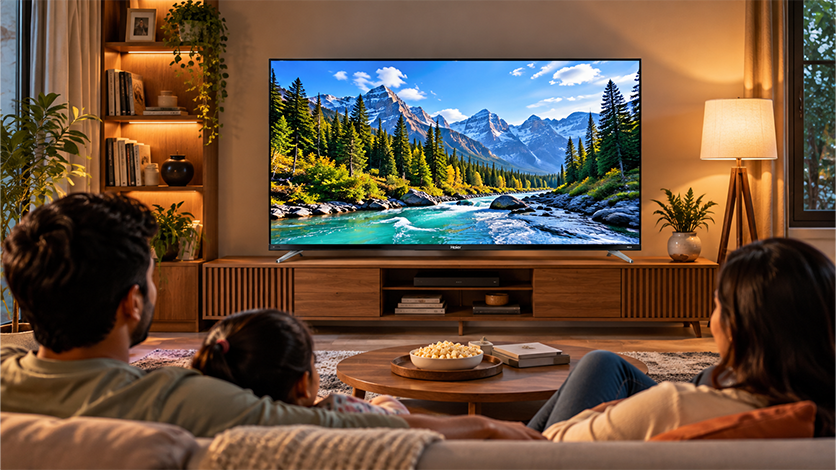
Honest answer: yes, mostly, with reasonable expectations.
- Low blue light: well-studied and consistently supported by eye-care research when it’s genuine hardware-level reduction
- Flicker-free: clear benefit for people sensitive to PWM, especially at low backlight levels and during long viewing sessions
- Ambient light sensing: reduces strain in rooms with changing light through the day — real impact for all-day viewing households
Where to be sceptical: dramatic claims like “zero eye strain” or “100% blue light eliminated”. The science doesn’t support that. These features reduce strain; they don’t eliminate it. Habits (break time, blinking, posture, viewing distance) still matter.
Settings and Habits for Comfortable Viewing
Even without a specialised eye-comfort panel, you can improve any TV setup:
- Set the brightness to roughly match your room — not maximum, not minimum
- Follow the 20-20-20 rule: every 20 minutes, look at something 20 feet away for 20 seconds
- Keep a little ambient light on — a dim lamp behind the TV reduces the contrast between screen and surroundings
- Lower colour temperature after sunset — most TVs have a “warm” or “night” picture mode
- Sit at least 2–2.5 metres from a 55-inch screen, further for larger panels
- Keep the screen clean — dust and smudges force your eyes to work harder
- Blink consciously during long viewing sessions
To reduce eye strain TV setups: this combination of settings often matters more than any single built-in feature.
What to Look for When Buying
When you’re shortlisting a TV with eye comfort in mind, these specs matter:
- TÜV Rheinland Low Blue Light Certification or equivalent third-party certification
- Flicker-free certification (also typically from TÜV)
- Ambient light sensor support
- Local dimming or Mini LED backlight — allows the TV to run at lower overall brightness in dim rooms
- Dolby Vision IQ or similar — adapts HDR brightness to room conditions
- Multiple picture modes, including a dedicated night or eye-care mode
- Low-blue-light settings in the menu, with easy on/off toggles
A TV that ticks three or four of these rather than just one is the one most likely to make a real difference over the long term. For long-term care and setup tips once your TV is installed, our guide on the Haier blog covers practical maintenance advice worth reading.
FAQs
Which TV is good for the eyes?
A TV with hardware-level low-blue-light tuning, flicker-free backlighting, and an ambient light sensor is the strongest combination for reducing eye strain. Look for third-party certification (such as TÜV Rheinland) to confirm these claims.
Does a low-blue-light TV reduce eye strain?
Yes, when it’s genuine hardware-level reduction. Software-only blue light modes also help, but they visibly shift the picture warmer, so most buyers use them only in the evening.
Is a flicker-free TV better for the eyes?
Yes, especially for long viewing sessions in dim rooms. Flicker-free backlighting avoids the imperceptible pulsing that causes eye fatigue in people sensitive to PWM dimming.
What is ambient light sensing on a TV?
A sensor on the front bezel that measures room brightness and automatically adjusts the TV’s brightness to match. It reduces the strain of a screen that’s too bright for a dark room or too dim for a bright one.
How do I set up my TV to reduce eye strain?
Match screen brightness to the room, enable a warm picture mode in the evening, keep some ambient light behind the TV, sit at a sensible distance (2–2.5 metres from a 55-inch panel), and take 20-second breaks every 20 minutes.