

We’ve all been there. One of those magical moments in IPL. A football player perfectly executes a bicycle kick. Suddenly, the slow motion starts and your screen goes blurry, jerky or loses definition. Did the fielder take that catch?
And no, this isn’t your Internet connection problem; it’s your TV.
If you want every slow-mo moment to look like a film sequence crisp, smooth, and filled with juicy detail you need to stop relying on default settings. Especially if you’ve got a top-tier Mini LED TV sitting in your living room.
This guide is your playbook to make that happen.
Why Slow-Mo Looks So Bad on Default Settings
Here is a secret about TVs. They are set to make everything look okay. Not excellent. Not optimized for replays.
Slow motion replays, especially during sports or action scenes, show you every tiny detail in stretched time. If your TV isn’t prepared for it, you’ll see:
- Choppy motion
- Ghosting effects
- Washed-out colours
- Delayed sound
And that ruins everything.
First Things First: Your TV Tech Matters
If you are still using a basic LED TV from five years ago, there is no way you can improve the resolution. What you need is a display which has motion blur handling capacity.
That is where mini led tvs come in. These are designed to handle fast movement, high frame rates as well as deep contrast with style. Mini LED lineup has it all: high refresh rates, Dolby Vision, powerful processors, and best-in-class local dimming.
Step-by-Step: Settings That Actually Work
1. Turn On Motion Smoothing, But Don’t Overdo It
For example, there is a feature that adds in-between frames when an object moves quickly. On many televisions it is called MEMC or MotionFlow. You need fluid motion not a soap opera look for slow-mo.
To set like this:
- Motion Smoothing: Medium
- Blur Reduction: High
- Judder Reduction: Medium
But too much of it makes things look fake so you want to keep it balanced.
2. Enable Sports Mode, Then Tweak It Further
Sports mode usually increases brightness, boosts colours, and enhances motion. But it’s still generic. So once it’s on, go custom:
Try these values:
- Brightness: 65 to 75
- Contrast: 85 to 95
- Sharpness: 25 to 35
- Colour Tone: Neutral
You want natural skin tones, not neon jerseys.
3. Turn On HDR or Dolby Vision
Slow-motion footage always seems to glow. The glaring floodlights compete with fields of nearly pitch-black shadows. It’s a perfect HDR and Dolby Vision nail.
If your set can handle those formats, go ahead and flip them on. Add a lamp behind the screen and the picture pops even more.
4. Crank Up the Refresh Rate
60Hz is okay. But for fast-paced content, 120Hz or 144Hz is ideal. This is what makes replays feel buttery smooth.
144Hz Mini LED TVs are gold here. Especially for:
- Sports
- Gaming
- High-speed YouTube content
5. Use Game Mode for Real-Time Feeds
If you’re watching live sports or playing games, Game Mode reduces latency. Your TV reacts faster. Combine this with Motion Smoothing and you’re all set.
6. Fine-Tune Local Dimming
Mini LED TVs also have accurate local dimming, which improves their contrast without crushing shadow details.
You should set the room lighting to: Medium or High
Bonus Tips Based on What You’re Watching
For Cricket Lovers:
- Use High Sharpness to see ball seams and bat edges clearly
- Keep motion settings a bit high for replays
For Football & Hockey:
- Increase colour vibrancy to track fast passes
- Use medium brightness to balance stadium lights
For WWE/UFC Fans:
- Use high contrast to see sweat, expressions and hits
- Dolby Vision ON, if available
For Bollywood Buffs:
- Tone down sharpness
- Enable Wide Colour Gamut
- Set Colour Temp to Warm for natural skin tones
Don’t Forget the Sound
You see the punch, but hear it two seconds later? That’s lip sync delay.
Fix it:
- Use HDMI eARC
- Keep audio delay to zero
- If you have KEF Audio like in Mini LED TVs, you’re already ahead
Top Mini LED Picks for Ultra Clarity
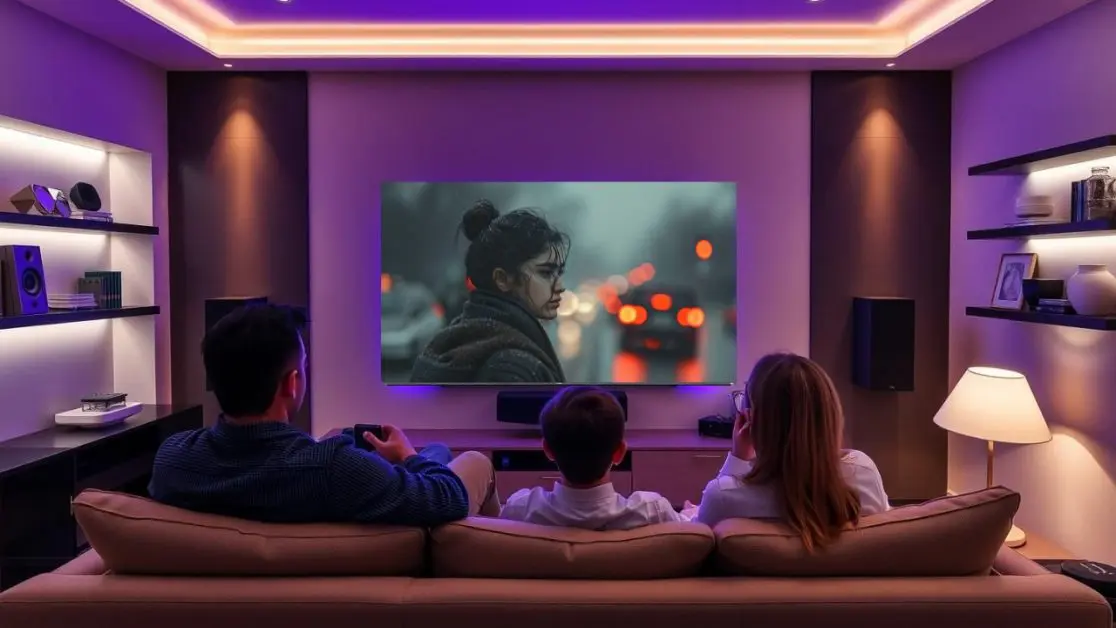
Here are the best options from Haier India that make all these settings work beautifully:
1. 215 cm (85) M80F Series
- 4K UHD + Dolby Vision
- Google TV interface
- Sound by KEF
- Great for stadium-level replays
2. 189 cm (75) H75M80FUX
- Dolby Vision certified
- Premium display & audio combo
3. 165 cm (65) H65M95EUX
- High refresh rate (great for action)
- Balanced size for medium-sized Indian homes
4. 144Hz 165 cm (55) H55M90EUX
- Best value for gamers and sports lovers
- Small space friendly
All of them come with 2 years warranty, EMI options, and cashback deals.
Why This Matters More in Indian Homes
Our homes are lively. Kids are running, elders are watching news, and you’re trying to watch a replay while sipping chai. You need a TV that can:
- Handle reflection during day
- Deliver cinematic quality at night
- Offer consistent sound even in big rooms
Mini LED handles all of it. Plus, with the right settings, you won’t miss a single expression or edge-nick ever again.
Final Word: You’re Not Just Watching, You’re Experiencing
Slow motion replays give you the opportunity to replay moments. If your TV settings are correct and your TV is good, this chance becomes unforgettable.
Adjust the settings and if you’re upgrading, go for something that respects real-time detail.
Explore India’s Mini LED TVs which will make every slow-mo a show-stopper.
Check out Haier’s official store for the best TV for your living room stadium.