
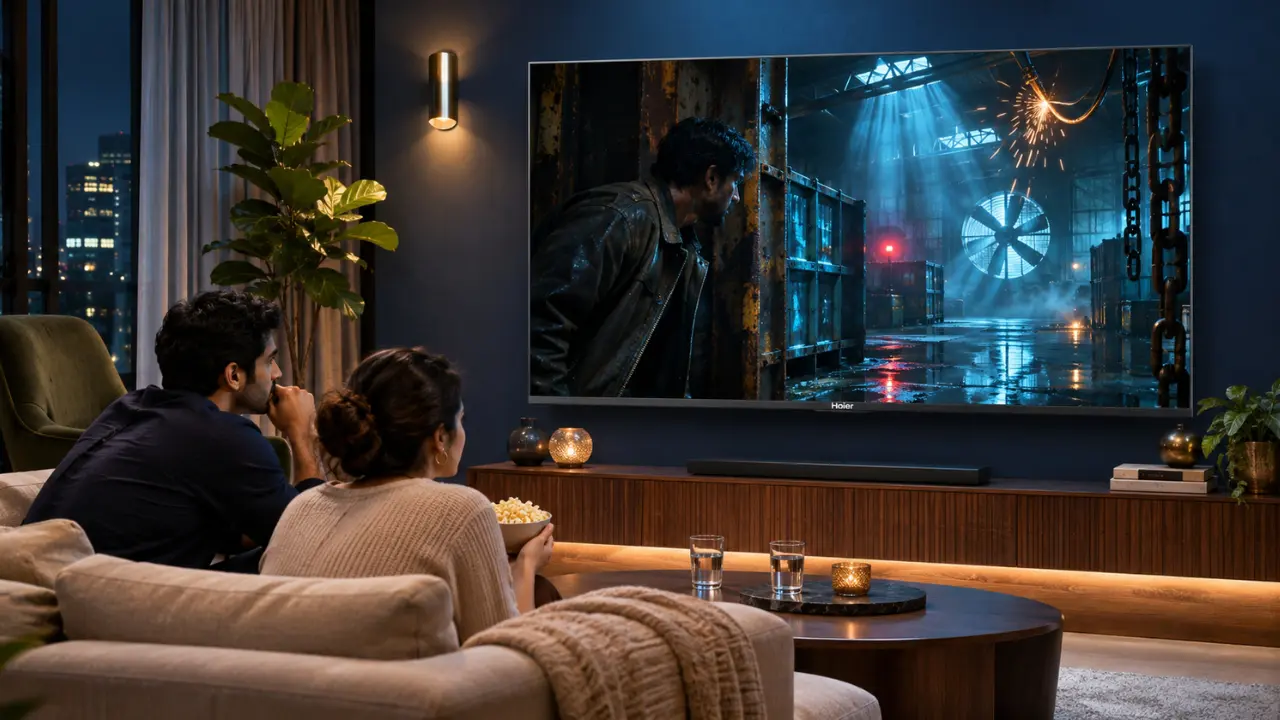

The villain is hiding somewhere in a poorly lit warehouse. The background music builds tension, the camera moves closer, and just when something important is about to happen, you realise you can barely see what’s on the screen.
You increase the brightness. Now the dark scene looks slightly better, but the next daylight shot appears washed out.
Quite frustrating, isn’t it?
Dark movie scenes are supposed to create atmosphere, not leave viewers guessing what’s happening. Yet many Indian households experience this problem, particularly while watching thrillers, horror films, and cinematic content on streaming platforms.
The interesting part? Your television may not be faulty at all.
A TV picture looking dark during movies can result from several factors, including HDR settings, picture modes, room lighting, and the television’s ability to reproduce shadow details.
Understanding these factors can help you improve your viewing experience without unnecessarily increasing screen brightness.
Why Do Movies Look Darker Than Regular TV Shows?
Ever noticed how a cricket match looks bright and colourful, but a suspense thriller on the same television seems unusually dim?
There’s a technical reason behind this difference.
Movies are frequently produced with carefully controlled lighting and colour grading. Directors and cinematographers use shadows to establish atmosphere, highlight emotions, and guide viewers’ attention.
A nighttime scene, for example, may intentionally contain very little light.
However, the television must reproduce those darker areas accurately while maintaining enough detail for viewers to understand what’s happening.
Several factors influence the final picture:
- The original brightness and colour grading of the movie.
- Whether the content uses SDR or HDR formatting.
- The television’s brightness and contrast capabilities.
- The selected picture mode and energy-saving settings.
- The amount of natural or artificial light in the room.
When these elements aren’t working well together, darker scenes can become difficult to follow.
And there’s a difference between a scene looking appropriately dark and important visual details disappearing completely.
The Real Problem Might Be Your TV’s Picture Settings
Before assuming that your television needs replacing, examine its existing picture settings.
Sometimes, a small adjustment makes a noticeable difference.
1. Your TV Might Be Using an Energy-Saving Mode
Many modern televisions include energy-saving settings designed to reduce power consumption.
Depending on the model, these settings may lower screen brightness or adjust it automatically.
That’s useful for managing electricity consumption, but it can affect visibility during darker movie scenes.
If your television appears unusually dim:
- Open the television’s picture settings.
- Check whether Energy Saving or Eco Mode is enabled.
- Temporarily disable the setting or select a less aggressive option.
- Replay the same dark movie scene.
- Compare the picture before and after making changes.
Remember, disabling energy-saving features may increase electricity consumption.
The objective is to find a comfortable balance between visibility and energy usage.
2. Cinema or Movie Mode May Look Too Dim in Bright Rooms
Movie Mode is generally designed to deliver a more natural cinematic presentation.
It often uses restrained brightness, warmer colour temperatures, and less aggressive picture processing than Vivid Mode.
This can work beautifully in a dimly lit room.
But imagine watching a movie at four in the afternoon, with sunlight entering through your balcony doors.
Suddenly, the same settings may feel inadequate.
Instead of immediately switching to maximum brightness, try adjusting the television’s backlight or panel brightness setting.
You can also experiment with Standard Mode when watching during daylight hours.
3. Your Contrast Settings Could Be Hiding Important Details
Contrast controls how the television displays differences between bright and dark portions of an image.
When contrast-related settings are poorly adjusted, bright areas may lose detail, while dark portions can appear crushed.
This phenomenon is commonly called black crush.
Picture a character wearing a black jacket while standing inside a dark room.
Ideally, you should still notice some separation between the jacket, the person’s hair, and the background.
With excessive black crush, these elements can merge into one dark shape.
Adjusting brightness, black level, and contrast carefully may help restore some visible detail.
However, increasing brightness too much can make black areas appear grey.
The goal isn’t to eliminate darkness. It’s to preserve the details that should remain visible.
Is HDR Making Your TV Picture Look Dark?

HDR, or High Dynamic Range, is designed to reproduce a wider range of brightness and colour information than conventional SDR content.
It can make bright highlights more impactful while preserving details in darker areas.
However, HDR content doesn’t automatically appear brighter on every television.
The results depend heavily on the display’s capabilities and how it processes the incoming video signal.
Why HDR Movies Sometimes Appear Dim
HDR movies may contain very bright highlights alongside intentionally dark scenes.
A television with limited peak brightness or less effective tone mapping may struggle to reproduce this range convincingly.
Consequently, certain HDR scenes can appear darker than expected.
Other possible reasons include:
- Incorrect HDR picture settings.
- Automatic brightness reduction.
- Incompatible or improperly configured external streaming devices.
- Differences in how individual streaming applications deliver HDR content.
- Viewing HDR movies in a brightly illuminated room.
One practical test is to compare a movie’s HDR presentation with an available SDR version.
If the SDR version appears consistently easier to watch, your television’s HDR processing or settings may need attention.
How Dolby Vision and HDR10+ Can Help
Advanced HDR formats are designed to improve how compatible displays reproduce cinematic content.
Dolby Vision uses dynamic metadata to help compatible televisions optimise picture presentation as scenes change.
HDR10+ also uses dynamic metadata, allowing supported displays to adapt tone mapping to the content.
Both technologies can improve the handling of challenging brightness variations when supported by the television and the content.
However, their effectiveness still depends on the television’s actual display performance.
This is where modern display technologies become particularly relevant.
Why Mini LED Technology Matters for Dark Movie Scenes
Consider a movie scene showing a small candle inside an otherwise dark room.
A television must reproduce the candle’s brightness without making the surrounding darkness appear unnecessarily illuminated.
That’s a demanding task.
Conventional LED-backlit televisions may struggle to balance bright highlights and deep shadows, depending on their backlight design.
Mini LED technology addresses this challenge by using smaller LEDs for backlighting, allowing more precise light management in appropriately designed displays.
What Makes Mini LED Different?
Mini LED technology can offer several viewing advantages:
- Improved control over screen illumination.
- Better separation between bright highlights and darker backgrounds.
- Greater potential for deeper blacks.
- Enhanced visibility of details in challenging scenes.
- More convincing contrast in compatible HDR content.
The actual results depend on the television’s backlight control system and picture processing.
For viewers who regularly enjoy cinematic content, these capabilities can make a meaningful difference.
Experience Cinematic Contrast With Haier’s New M70 Series Mini LED TVs
A movie’s most memorable moments aren’t always brightly lit.
Sometimes, it’s a character emerging from the shadows, a distant city illuminated at night, or the subtle expression on someone’s face that makes a scene unforgettable.
Haier India’s New M70 Series Mini LED AI Smart Google TVs are designed to enhance such viewing experiences through advanced picture technologies.
The series combines Mini LED display technology with Micro Dimming, AI Picture Quality, Dolby Vision, and HDR10+ support.
Together, these features are designed to improve contrast, brightness management, and overall picture clarity.
Micro Dimming for Better Contrast
Haier’s M70 Series features Micro Dimming technology that optimises light levels across the screen.
This helps create sharper contrast, deeper blacks, and brighter visual details.
Imagine watching a mystery thriller featuring a dimly illuminated staircase.
Instead of unnecessarily brightening the entire picture, effective light management helps preserve the scene’s darker atmosphere while improving the distinction between visible elements.
That balance is important because cinematic viewing isn’t simply about producing the brightest possible image.
It’s about presenting light and darkness convincingly.
AI Picture Quality for Intelligent Visual Optimisation
Different types of content demand different picture characteristics.
An animated film may feature vibrant colours, while a historical drama may rely on softer tones and subdued lighting.
Haier’s M70 Series incorporates AI Picture Quality technology designed to optimise brightness, contrast, colour, and clarity in real time.
This helps the television adapt its picture presentation to different types of content.
The series also supports Dolby Vision and HDR10+, providing additional picture enhancement capabilities when watching compatible content.
4K Resolution for Detailed Entertainment
The Haier M70 Series features a 4K resolution of 3840 × 2160 pixels.
This provides a detailed visual foundation for compatible high-resolution movies and programmes.
Combined with its Wide Colour Gamut technology, the television is designed to reproduce a broader spectrum of colours.
Whether you’re watching a colourful family entertainer or a visually intricate science-fiction film, the combination supports a richer viewing experience.
Explore the Haier M70 Series in Four Screen Sizes
Indian homes differ considerably in their living room layouts and entertainment preferences.
A compact apartment may require a different television size from a spacious family lounge.
Haier offers the New M70 Series Mini LED AI Smart Google TV in four screen sizes:
Haier New M70 Series 55-Inch Mini LED AI Smart Google TV
Model: 55M70UHMINI LED
With its 139 cm display, this model is worth considering for bedrooms and smaller living rooms where viewers want Mini LED technology without choosing an oversized screen.
Haier New M70 Series 65-Inch Mini LED AI Smart Google TV
Model: 65M70UHMINI LED
The 164 cm display offers a larger viewing area for families who frequently watch films, web series, and entertainment programmes together.
Haier New M70 Series 75-Inch Mini LED AI Smart Google TV
Model: 75M70UHMINI LED
Featuring a 189 cm display, this television is suitable for households looking to create a more immersive entertainment setup in a spacious living room.
Haier New M70 Series 85-Inch Mini LED AI Smart Google TV
Model: 85M70UHMINI LED
The 215 cm display provides an expansive viewing area for those who prefer a large-screen cinematic experience at home.
All four models feature Mini LED technology, AI Picture Quality, Dolby Vision, HDR10+, and a 50W 2.1-channel sound system with a built-in subwoofer.
The series also incorporates Google TV with Gemini for smart entertainment features.
Choosing the right screen size depends on your room dimensions, seating distance, and personal viewing preferences.
Try These Simple Fixes Before Your Next Movie Night
Not every dark-picture problem requires a new television.
Before settling down for your next weekend movie, try this quick adjustment routine.
Step 1: Start With Movie Mode
Select Movie Mode and observe how the television handles darker scenes.
If the picture appears too dim for your room, adjust the available brightness controls gradually.
Step 2: Check the Room Lighting
Avoid placing bright lamps directly opposite the television.
Reflections can make darker scenes harder to distinguish.
Soft, indirect lighting may provide a more comfortable viewing environment.
Step 3: Review HDR Settings
Check whether your television is correctly detecting HDR content.
If you’re using an external streaming device, ensure its video output settings are compatible with your TV.
Step 4: Avoid Maximum Brightness
Increasing every picture setting to its highest level rarely produces the most accurate results.
Excessive adjustments may wash out colours or reduce the natural appearance of shadows.
Step 5: Compare Different Content Sources
Play the same scene through another compatible application or device, where possible.
If the problem appears only on one source, investigate its settings before changing the television’s overall configuration.
If the picture remains unusually dark across all sources despite appropriate settings, consult the television’s user manual or authorised support.
Make Every Movie Scene Worth Watching With Haier India
A properly presented dark scene can be just as visually impressive as a brightly illuminated one.
The difference lies in how effectively your television manages contrast, brightness, and subtle visual details.
While adjusting picture settings can resolve many common problems, display technology also influences the overall experience.
Haier India’s New M70 Series Mini LED AI Smart Google TVs bring together Micro Dimming, AI Picture Quality, Dolby Vision, HDR10+, and 4K resolution to support a more engaging cinematic presentation.
Available in 55-inch, 65-inch, 75-inch, and 85-inch screen sizes, the series offers options for different Indian homes and entertainment preferences.
Explore the Haier New M70 Series Mini LED TVs and discover how advanced picture technology can make your favourite movies more enjoyable, including those scenes where darkness is part of the story.
Make Every Movie Scene Worth Watching With Haier India
A properly presented dark scene can be just as visually impressive as a brightly illuminated one.
The difference lies in how effectively your television manages contrast, brightness, and subtle visual details.
While adjusting picture settings can resolve many common problems, display technology also influences the overall experience.
Haier India’s New M70 Series Mini LED AI Smart Google TVs bring together Micro Dimming, AI Picture Quality, Dolby Vision, HDR10+, and 4K resolution to support a more engaging cinematic presentation.
Available in 55-inch, 65-inch, 75-inch, and 85-inch screen sizes, the series offers options for different Indian homes and entertainment preferences.
Explore the Haier New M70 Series Mini LED TVs and discover how advanced picture technology can make your favourite movies more enjoyable, including those scenes where darkness is part of the story.
Frequently Asked Questions
Why is my TV so dark when watching Netflix or other streaming platforms?
Streaming movies may appear dark because of HDR processing, cinematic colour grading, picture mode settings, or the television’s brightness limitations. Check your picture settings and compare different titles before assuming there’s a hardware problem.
Should I increase brightness or contrast when movies look dark?
Start by adjusting the backlight or panel brightness, if available. Then check black level and contrast carefully. Excessive adjustments can make blacks appear grey or remove details from bright areas.
Does Mini LED improve dark movie scenes?
Mini LED technology can improve light control and contrast, helping supported televisions distinguish bright highlights from darker areas more effectively. Actual performance depends on the display and its processing capabilities.
Is Dolby Vision better for watching dark movies?
Dolby Vision can help compatible televisions optimise HDR presentation using dynamic metadata. However, the final picture quality depends on the television’s display capabilities, settings, and source content.
Why does my TV look darker at night?
Darkness can appear more pronounced because of the movie’s lighting, selected picture mode, or automatic brightness controls. Some televisions also adjust brightness according to environmental conditions.