
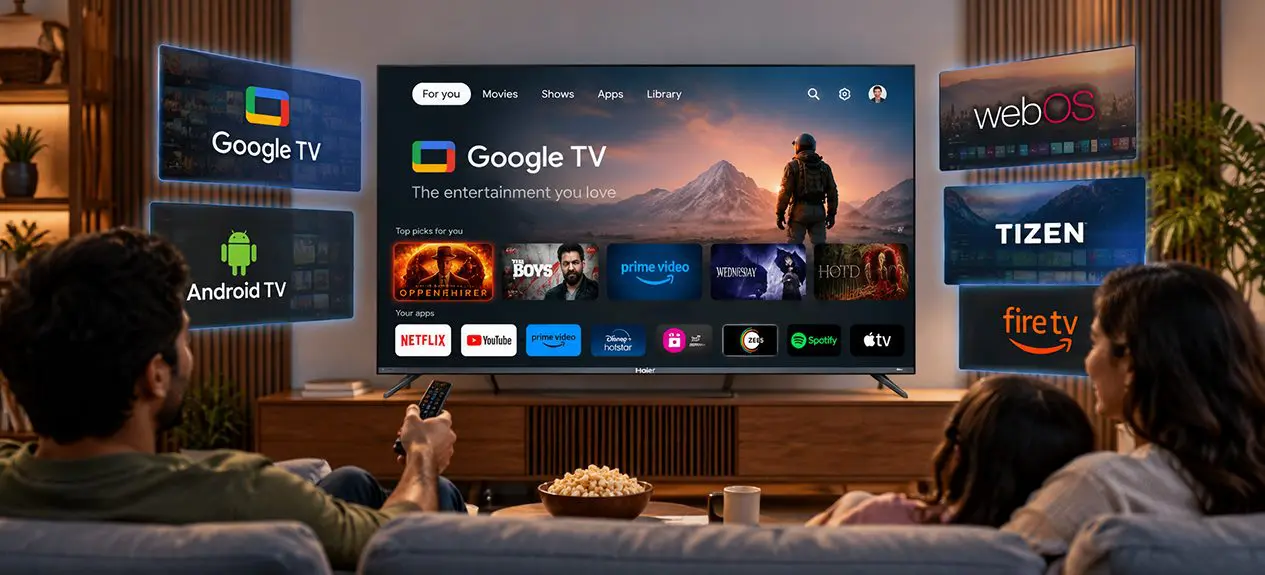

Every smart TV runs on an operating system. It controls how the home screen looks, which apps you can install, and how quickly the TV responds when you press a button.
Most buyers spend their research time on screen size and panel type. The OS gets a quick glance at best, even though it shapes daily use more than almost any other spec. The list of names doesn’t help either: Google TV, Android TV, webOS, Tizen, Fire TV, Roku.
This guide explains smart TV operating systems in plain language. You’ll see how each platform works, where they differ, and how to pick the one that suits your home.
Why the Operating System Matters
The operating system is the software layer between you and everything the TV can do. A good one feels quick and clear. A weak one can make an excellent panel frustrating to use.
Four things depend on it:
- App choice: which streaming, music and kids’ apps you can install
- Speed: how fast menus load and apps open
- Updates: how long the TV keeps getting fixes and new features
- Voice and smart-home control: which assistants and devices work with the TV
You can’t swap the hardware after you buy it. Software can improve over time, but only within the limits of the platform. That’s why the OS deserves as much thought as the screen.
Google TV
What is Google TV? It’s a smart TV platform from Google that puts content first. Instead of a plain grid of apps, the home screen gathers recommendations from your streaming services in one place. It runs on top of Android TV software, so it keeps the same app foundation.
Features and App Support
- Personalised recommendations across your streaming apps
- A Watchlist you can add to from your phone
- Google Assistant for voice search and control
- Built-in Chromecast for casting from a phone or laptop
- Separate profiles, including kids’ profiles
- Google Play Store access with a broad app range
Most major streaming apps in India are available. That includes Netflix, Prime Video, JioCinema, Disney+ Hotstar, Sony LIV and YouTube.
Android TV
What is Android TV? It’s the earlier Android-based platform for televisions. The home screen is app-first, with rows of apps and channels and a few recommendations mixed in. Many TVs sold over the last few years still run it, and they continue to work well.
Features and App Support
- Google Play Store access
- Google Assistant voice control
- Built-in Chromecast
- An app-first home screen with rows for apps, channels and “Play Next”
A phone app only appears here if its developer has built a TV version. That’s why not every phone app is available on Android TV.
Google TV vs Android TV: The Difference
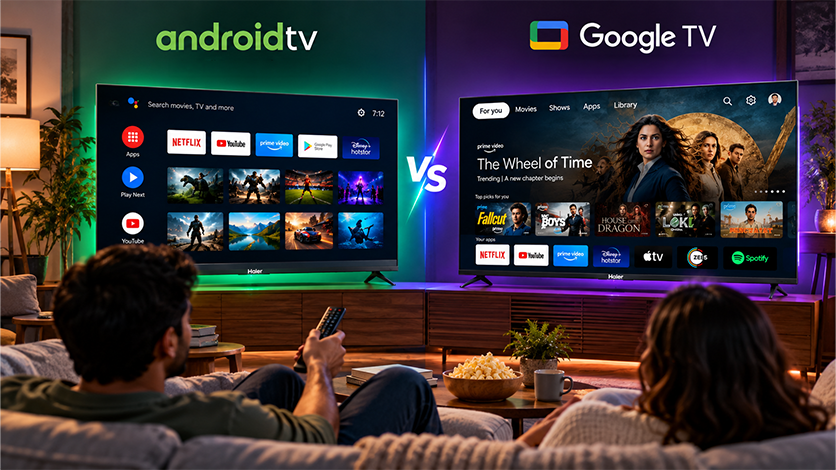
The Google TV vs Android TV question confuses many buyers because the two share a foundation. Google TV is a newer interface layered on Android TV. The Play Store stays the same. What changes is how content is presented and how personal the home screen feels.
| Feature | Google TV | Android TV |
| Home screen | Content-first, with recommendations across apps | App-first, with rows of apps and channels |
| Watchlist | Built in, syncs with your phone | Not a core feature |
| Profiles | Individual and kids’ profiles | More basic |
| App store | Google Play | Google Play |
| Voice assistant | Google Assistant | Google Assistant |
| Casting | Chromecast built-in | Chromecast built in |
| Status | Google’s current platform for newer TVs | Earlier interface, still found on many TVs |
Other TV Operating Systems (webOS, Tizen, Fire TV, Roku)
Not every TV runs a Google platform. Some makers use their own system, and others use a third-party one. Four names come up most often.
- webOS: a clean launcher bar along the bottom of the screen. Its app library is smaller than Google’s. The webOS vs Google TV choice mostly comes down to simplicity versus app range.
- Tizen: a fast, tidy interface with a solid set of core apps. The tizen tv os library has fewer niche and regional apps.
- Fire TV: built around Amazon’s services and Alexa voice control. It has a large app store but leans towards Amazon content.
- Roku: a simple, tile-based interface that is popular in other markets. It isn’t widely available in India.
App Availability and Updates Compared
Google’s Play Store carries the widest range of apps among these platforms. The others cover the big streaming names well, but gaps show up with regional and niche apps. No platform supports every app you’ll find on a phone.
Updates work in two layers:
- App updates: arrive through each platform’s own store, often automatically
- System updates: come from the TV maker and depend on the model
For help with installing apps and keeping the TV running smoothly, the Haier blog has practical guides worth reading.
Is Google TV Free?
Yes, for the part you use every day. Google TV comes included with the TV. You don’t pay a monthly fee for the home screen, the Play Store, Google Assistant, or Chromecast.
What can cost money is the apps. Netflix, Prime Video, and similar services have their own plans. Many apps also offer free, ad-supported viewing, so you can start without paying anything.
Which TV OS Should You Choose?
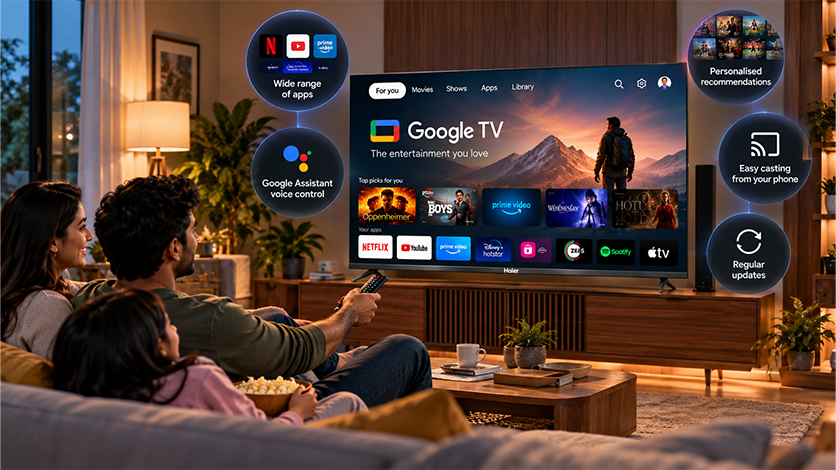
There’s no single best smart tv os for every home. For most Indian households, though, a Google platform is the most practical pick. The app range is wide, voice control is built in, and casting from a phone works without extra setup.
Run through these questions before you decide:
- Are the apps you use every week available on the platform?
- Do you want one home screen that gathers recommendations?
- Do you use Google Assistant or a Google account on your phone?
- Will the TV maker keep sending updates?
Haier’s QLED, Mini LED and OLED TVs run Google TV. Explore the Haier Google TV lineup in India to compare models across sizes.
Conclusion
The operating system decides how a smart TV feels every day. Google TV and Android TV share a base, but Google TV adds a more personal, content-first home screen. Other platforms keep things simple, though with a smaller range of apps.
Choose the platform that carries the apps you actually watch, then match the screen to your room. That order usually leads to a TV you enjoy using for years.
FAQs
What is Google TV?
Google TV is a smart TV platform from Google. It gathers recommendations from your streaming apps on one home screen and includes Google Assistant, Chromecast, and Play Store access.
What is Android TV?
Android TV is Google’s earlier TV platform. It has an app-first home screen and the same Play Store, Google Assistant, and Chromecast support.
Is Google TV better than a smart TV?
Google TV is a type of smart TV platform, so it isn’t an either/or choice. The real comparison is between Google TV and other platforms such as webOS, Tizen, or Fire TV.
What is the difference between Google TV and Android TV?
Both use the same foundation and Play Store. Google TV adds a content-first home screen with recommendations across apps, a Watchlist, and individual profiles.
Is Google TV totally free?
The platform itself needs no subscription. Individual apps such as Netflix or Prime Video have their own plans, and many apps also offer free, ad-supported content.
Can I install all apps on Android TV?
No. Only apps built with a TV version and listed in the TV’s Play Store can be installed. Many phone apps don’t have a TV version.