
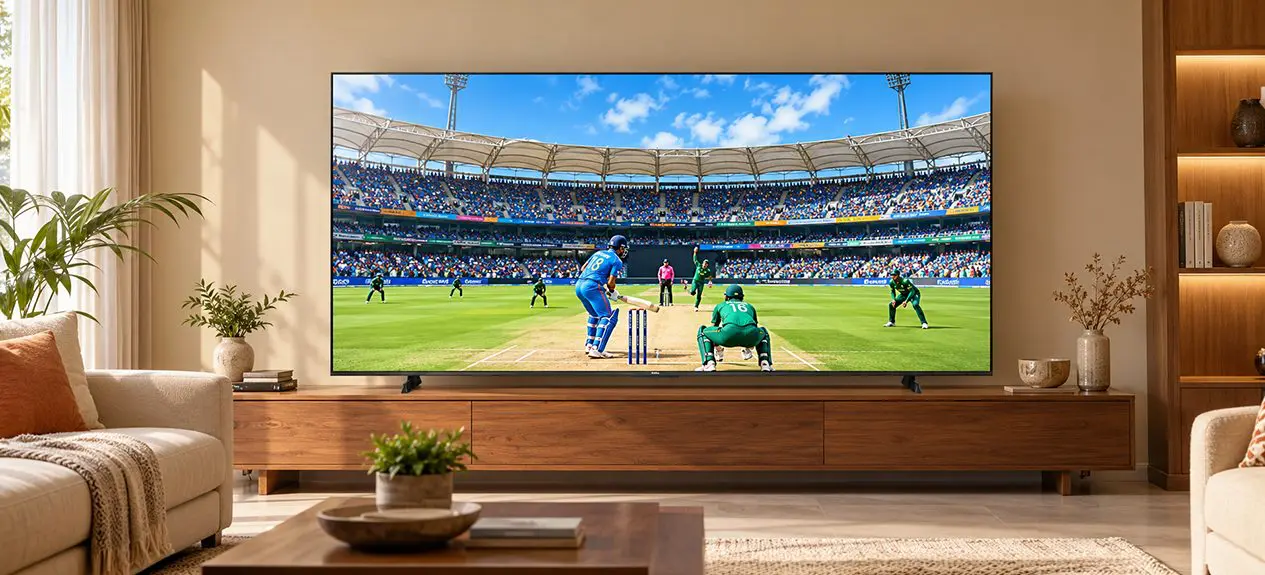

Two TVs can play the same cricket match and show quite different colours. On one screen, the grass may look like several shades of green, while on another, it looks almost the same across the field. The difference is not always about resolution or screen size. The way a TV reproduces colour also matters.
TV colour technology covers a few things, including the range of colours a screen can display and how smoothly it can move between shades. Colour gamut, DCI-P3, and colour depth are three terms you may come across when comparing TVs. Here’s what each one means and what to look for when buying a TV.
Why Colour Technology Matters on a TV
Resolution tells you how much detail a TV can show, but colour affects how that detail looks. A sunset needs more than sharp edges to look natural. It also needs the TV to show the change from bright orange to soft pink and then into blue without making the colours look flat.
This is even more noticeable when watching movies, nature documentaries, and high dynamic range videos. A good colour reproduction television will be able to display more variations in a landscape or maintain delicate colours in a dark scene. However, the end result is determined by several other factors such as brightness, contrast, and picture processing, and therefore should not be considered alone.
What is Colour Gamut?
Think of a TV colour gamut as a spice rack. The more jars on the shelf, the more flavours a cook can combine. A TV with a wider gamut can separate shades that a narrower one would blur together, like the individual greens across a cricket outfield or the reds and oranges at dusk. More isn’t automatically better, though: the TV must also reproduce those colours accurately, not push them into an overly bright, oversaturated look.
sRGB, DCI-P3 and Rec. 2020 Explained
These colour standards define different ranges of colours used in digital images, cinema, and television.
- sRGB: Commonly used for digital images, websites, and other screen content.
- Rec. 709: The standard colour space for HD television and much standard dynamic range (SDR) content.
- DCI-P3: A wider colour space developed for digital cinema and widely used as a reference for modern HDR displays.
- Rec. 2020: A much wider colour space specified for ultra-high-definition television, including 4K and 8K content.
A TV can accept content made to one of these standards without being able to show all of it, so the coverage figure in the specifications tells you more than the standard’s name.
What “Wide Colour Gamut” Really Means?
Wide colour gamut (WCG) simply means the display covers more colours than a standard-gamut screen. You’ll notice it most in colourful material, such as an animated film or an HDR nature documentary, and much less in a news bulletin.
What is DCI-P3?
DCI-P3 began in digital cinema and covers more colours than Rec. 709, which is why it has become the go-to benchmark for TVs aimed at cinema-style and HDR viewing. Specification sheets usually quote it as a percentage of that colour space the screen can reproduce. A higher figure generally signals wider coverage, but it doesn’t promise that every colour will be accurate.
Why DCI-P3 Coverage is the Benchmark for HDR
HDR material carries a broader spread of colour and brightness than SDR, so strong DCI-P3 coverage lets a TV show more of what that content contains. Think of a night-time street scene with red, blue, and green signs against dark buildings: the TV has to render those hues and keep the contrast. Coverage is a helpful clue to colour ability, but brightness, contrast, and processing continue to affect what you see.
What is Colour Depth (Bit Depth)?
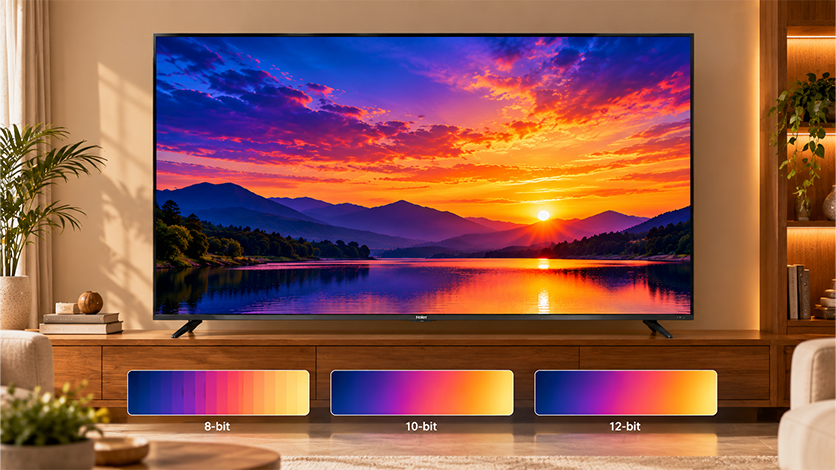
Colour depth, also known as bit depth, is defined as the number of colours a television can produce in each red, green, and blue colour channel. While the TV colour gamut decides what colours a TV can produce, colour depth decides how many different shades can be produced in between the colours.
8-Bit vs 10-Bit vs 12-Bit
The difference comes down to the number of shades each channel can reproduce.
- 8-bit colour: Displays 256 levels per colour channel, allowing around 16.7 million possible colours.
- 10-bit colour: Displays 1,024 levels per channel, allowing around 1.07 billion possible colours. It can show finer gradations, which is useful for compatible HDR content.
- 12-bit colour: It displays 4,096 levels per channel, resulting in roughly 68.7 billion colours. It is used in certain high-end video production and mastering pipelines, though it is less common in consumer TV panels.
A higher bit depth allows more subtle changes between shades, but the final picture also depends on the TV panel, processing and the content being played.
Colour Banding and Why Bit Depth Matters
Have you ever noticed visible stripes across a blue sky or a sunset on screen, instead of a smooth change from one shade to another? This effect is called colour banding. It can happen when there are not enough gradations to display a smooth transition, though video compression and image processing can also contribute.
Colour televisions that use a 10-bit system to produce colours will have more levels between colour graduations than those using an 8-bit colour television system, which means that gradients will appear more natural when both the source and the display support them. This is what to look for in television displays.
Colour Gamut vs Colour Depth vs Colour Volume
These three terms are related, but they describe different aspects of colour performance.
| Feature | What it means | Why it matters |
| Colour gamut | The range of colours a TV can reproduce | Affects the variety of colours on screen |
| Colour depth | The number of gradations available within each colour channel | Helps produce smoother transitions between shades |
| Colour volume | How well a TV reproduces colours across different brightness levels | Matters when vivid colours need to remain visible in bright or dark scenes |
The television is capable of reproducing a lot of colours but unable to retain them at higher levels of luminance. Color Volume is a specification that helps us understand the relationship between colour and brightness. Combined together, these specifications provide us with a more effective understanding of colour reproduction performance.
How Panel Technology Affects Colour
The display technology used in a TV affects how it produces light, handles contrast and reproduces colour. Here is how some common technologies work.
- OLED: The OLED TV uses self-emitting pixels which can be turned off individually. This is the reason why deep black can be achieved easily.
- Mini LED: Mini LED televisions utilize many small LEDs placed behind the TV’s display, generally along with local dimming technology used to control zone brightness. Depending on its implementation, it can provide high brightness and contrast.
- HQLED and Quantum Dot: This technology uses certain materials to produce more accurate colours of backlight. The colour gamut can become wider in certain televisions.
These technologies work differently, and their names alone do not tell you exactly how a TV will perform. Colour coverage, brightness, contrast, and processing still matter when comparing individual models.
What to Look for When Buying a TV for Colour
You don’t need to understand every technical term before choosing a TV. Start with these checks:
- DCI-P3 coverage: Useful for comparing the colour range of TVs designed for HDR and cinema-style viewing.
- Wide colour gamut: Check whether the model supports a wider range of colours.
- Colour depth: Look for information about 10-bit colour TV and whether it refers to the native panel or processing.
- HDR formats: Dolby Vision and HDR10+ can help compatible content display a suitable balance of brightness, colour and contrast. The result still depends on the TV.
- Picture processing: This affects how the TV handles colour, detail and different types of content.
Haier provides TVs with various display technologies and picture capabilities; hence, you should consider the specifications of the TV you wish to purchase. For instance, the M70 Series Mini LED TVs feature Wide Colour Gamut and 93% DCI-P3 colour coverage. Comparing features like these with HDR support, brightness, and contrast can help you see what each TV offers and choose one that suits the way you watch.
Quick Colour-Spec Cheat Sheet
| Feature | What to check | What it tells you |
| Colour gamut | Rec. 709 or DCI-P3 coverage | The range of colours the TV can reproduce |
| Colour depth | 8-bit or 10-bit capability | How many gradations it can represent |
| HDR support | Compatible HDR formats | Which HDR content formats the TV supports |
| Panel technology | OLED, Mini LED or Quantum Dot-based display | How the TV produces light and handles colour and contrast |
No single specification guarantees a better picture. Consider them together with the kind of content you watch and the lighting in your room.
Conclusion
Colour gamut, DCI-P3, and colour depth each explain a different part of TV picture quality. The gamut tells you how broad the range of colours is, while colour depth affects how smoothly the TV moves between shades. Colour volume adds another factor by looking at how colours hold up at different brightness levels.
Planning to buy a new TV? Have a look at Haier’s range and compare the features that matter to you, from colour reproduction and HDR support to the type of display. If you usually watch films in the evening or never miss a cricket match with the family, think about how you use your TV before choosing a model that fits your home and budget.
FAQs
What is the colour gamut on a TV?
Colour gamut is the range of colours a TV can display. A wider gamut allows it to reproduce a greater variety of shades.
What is DCI-P3 and why does it matter?
DCI-P3 is a colour standard developed for digital cinema. It helps you compare how well a TV reproduces the wider range of colours found in compatible HDR content.
What is the difference between 8-bit and 10-bit colour?
8-bit colour supports around 16.7 million colours, while 10-bit supports around 1.07 billion, allowing smoother transitions between shades.
Does a wider colour gamut mean a better picture?
Not necessarily. Colour accuracy, brightness, contrast, and picture processing also affect how natural and detailed the image looks.
What is the difference between colour gamut and colour depth?
Colour gamut determines the range of colours a TV can display, while colour depth determines how many gradations it can show within each colour channel.
How much colour gamut coverage is good for a TV?
For HDR viewing, high DCI-P3 coverage is worth looking for. Around 90% or more can be a useful comparison point, but picture quality also depends on colour accuracy, brightness, and contrast.