

A television can run fine for most of the year and then start acting up the moment the weather turns humid. This can mean a slightly foggy screen, moisture around the edges, odd picture behaviour, or a TV that’s just slower to respond. Normal indoor humidity won’t damage a TV on its own, but if moisture hangs around long enough, or turns into condensation that reaches the internals, that’s when it becomes worth paying attention to.
Understanding the humidity effect on TV picture quality helps you catch the early signs and take a few simple precautions before a passing weather issue turns into something more serious.
How Does Humidity Affect a TV?
Inside every television are components that need to stay dry: circuit boards, connectors, power parts, and display layers. When the air gets more humid, it carries more moisture, and when that moist air meets a cooler surface, condensation forms.
A little condensation on the outside of the screen usually just makes it look cloudy for a while. The biggest concern is whether moisture gets inside the television.
That’s the whole idea behind humid weather TV care; it’s not about avoiding humidity entirely, but more about preventing prolonged moisture exposure and turning into condensation.
Can Humidity Affect TV Picture Quality
Humidity does not directly lower your TV’s resolution or change how good the panel is. But moisture can get in the way of the components that are responsible for producing the picture.
If condensation builds up on or inside the display, keep an eye out for:
- A hazy or cloudy look to the screen
- Temporary smart TV screen fogging
- Flickering or odd lines
- Colours or brightness that seem off
- Patches on the screen that look uneven
- Picture issues that seem to line up with particularly damp weather
A foggy screen doesn’t always mean permanent damage. Surface condensation often clears up on its own once the temperature and humidity settle down. But if the fogging sticks around, or other picture problems show up alongside it, it’s worth having the TV checked.
This becomes especially noticeable on TVs designed to deliver detailed, high-contrast images. Haier TVs are designed to deliver consistent picture quality across different viewing conditions. Models with technologies such as QLED and Mini LED offer enhanced brightness, contrast and colour, but keeping the TV away from direct moisture and excessive humidity is still important for long-term performance.
What Causes Condensation Inside a TV?
Condensation happens when warm, moisture-heavy air meets a cooler surface. You may have seen the same thing happen on the outside of a cold glass of water on a humid day.
The same principle can apply to a television, especially if there’s a gap between the TV’s surface temperature and the surrounding room.
A few things that make it more likely:
- The TV is placed near a window that’s open during rain
- The room doesn’t get much airflow
- The TV is up against a damp wall
- There are sudden changes in room temperature
- The TV is left exposed to excess moisture for long stretches
So it is useful to know how to prevent condensation inside TV components, especially once the rains set in.
When Does Moisture Become a Bigger Concern?
Not every humid day leads to TV moisture damage. Modern TVs are built for normal indoor use, and everyday shifts in humidity do not necessarily cause a problem.
The concern is prolonged exposure or direct contact with water.
Moisture can work its way in through vents, ports, seams, or other small gaps. Once it’s inside, it can lead to corrosion or mess with the electrical connections. And if the TV is powered on while there’s moisture inside, the odds of malfunction go up.
This is why visible water, condensation that won’t clear, or unusual TV behaviour is worth brushing off.
How to Protect Your TV From Moisture
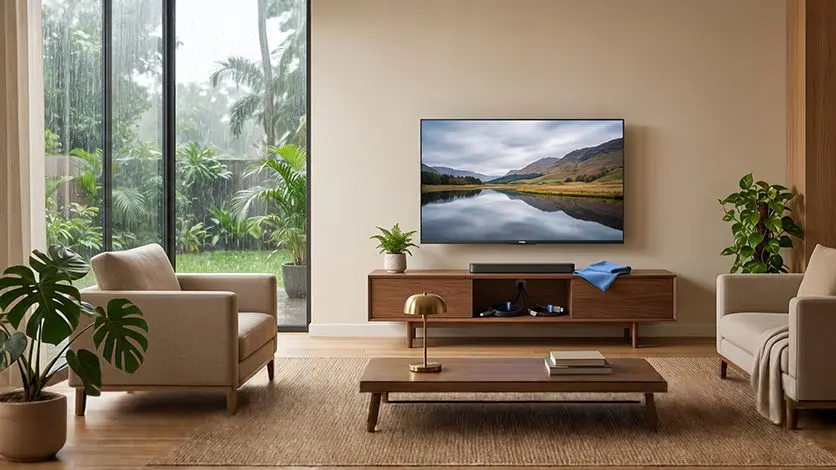
1. Keep the TV Away From Damp Walls
If a wall tends to get damp during monsoon season, don’t push the TV right up against it. Leave enough space behind it for air to move, and keep it clear of spots where moisture tends to build up.
2. Avoid Direct Exposure to Rain
An open window can help with airflow, but it also lets rain and humid air straight into the room. If the TV is anywhere near a window or balcony, make sure it’s not catching any splashes or dripping water.
3. Keep Ventilation Areas Clear
Do not drape fabric or decorative covers over the back or sides of the TV, and don’t box it into fitted furniture. Clear vents help prevent heat from building up and give moisture less chance to settle around the television.
4. Keep Ports and Connections Dry
HDMI, USB, power, and other connections should stay away from areas where water or condensation might collect. Never spray cleaning liquid directly onto the screen or near the ports.
For regular cleaning, use a soft microfibre cloth and follow the manufacturer’s care instructions.
What Should You Do If Your TV Starts Fogging?
If you spot a smart TV screen fogging, don’t immediately switch it straight back on to see if the picture has returned to normal.
Instead:
- Turn the TV off and unplug it.
- Move it away from any direct source of moisture.
- Let it dry out naturally in a well-ventilated room.
- Skip the hairdryer, heater, or direct heat.
- Don’t try opening the TV yourself.
- Wait until visible condensation has disappeared before considering normal use.
If the fogging doesn’t go away, moisture seems to be inside the display, or you start seeing flickering, lines, odd colours, or the TV stops working properly, get it checked by a professional rather than trying to sort it yourself.
A Simple Monsoon Check for Your TV
Before and during the wetter months, it’s worth a quick check:
- Is the TV near an open window or a damp wall?
- Are the vents clear?
- Any water droplets around the ports?
- Does the screen look unusually hazy or foggy?
- Is the TV behaving differently than usual?
- Is the room getting enough airflow?
If everything checks out, there’s nothing to worry about. The point is to catch moisture issues early, before they turn into something bigger.
Want more practical advice for keeping your television running well over time?
Read this blog: Best Practices for LED TV Care and Maintenance
Conclusion
High humidity on its own doesn’t mean your TV is going to get damaged. The real risk is moisture hanging around too long, or condensation reaching parts of the set that need to stay dry.
A sensible setup goes a long way: keep the TV clear of damp walls and direct rain, don’t block the vents, and never switch on a visibly wet TV. If fogging or picture issues stick around, it’s better to call in a professional than try fixing it yourself.
Good humid weather TV care comes down to simple prevention. Keep moisture away, give the TV enough airflow, and pay attention when the screen or picture starts acting differently than usual.
FAQs
Can high humidity cause visible problems on a TV screen or affect picture quality?
Yes, high humidity can lead to condensation, screen fogging, water droplets, or temporary picture issues if moisture reaches sensitive components.
How can you actively lower humidity around your home entertainment setup?
Use a dehumidifier or air conditioner, improve ventilation, and keep the TV away from damp walls, windows, and areas prone to condensation.
How do Haier Smart TVs protect internal components against high humidity and monsoon weather conditions?
Haier TVs are designed with protection for everyday operating conditions, but they should still be kept away from direct moisture, condensation, and prolonged exposure to high humidity.
What is the ideal safe indoor humidity range for operating modern LED and OLED TVs?
A relative humidity level of around 30% to 70% is generally considered suitable for consumer electronics, but always follow the specific operating conditions in your TV’s manual.