
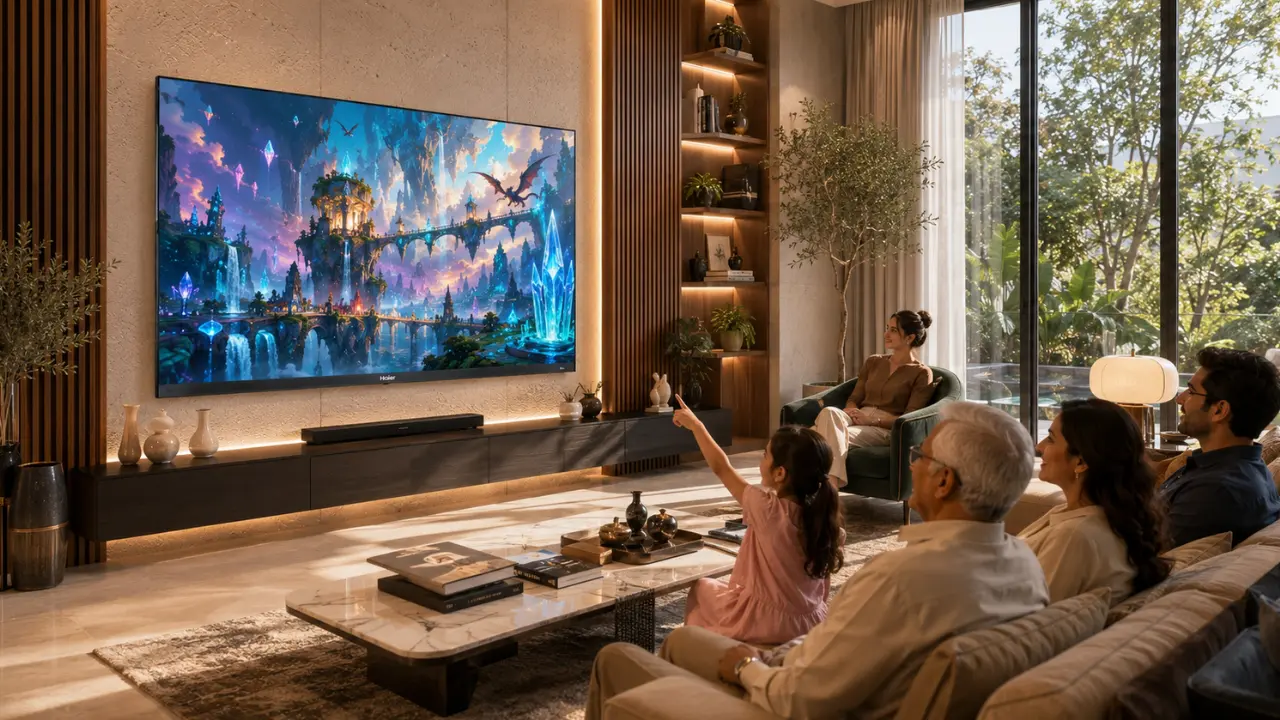

In the old days when televisions were purchased, the only thing you had to compare was the screen size, picture quality and perhaps the number of HDMI ports. That’s changed. Quietly, but significantly.
In today’s day and age, a smart display is so much more than content. It adapts. It listens. It responds. It is aware of the various viewing contexts and, more and more, of the various user needs. The change is important because access is no longer a specialty needs. It’s helpful for nearly anyone at some time.
Think about it. An older parent who is having trouble reading the menus on the screen. A child attempting using voice search rather than typing. A person viewing late at night who does not want to suffer from eye strain. Or someone in the family with less hearing and who prefers to hear a clearer conversation rather than just louder sounds.
This is where intelligent displays can truly make a difference. Rather than having to adapt to technology, technology is adapting to the people.
It’s bigger than many people realize that accessibility is.
The term “accessibility” is often interpreted as only relating to people who have a disability.
Not quite.
In fact, accessible technology enhances the day-to-day ease of living for all age groups and lifestyles. A simpler to use, easier on the eyes and easier to understand tv makes for a better experience for everyone.
Some common places where accessibility can be important:
Elderly people with no trouble using menus.Older people without difficulty with menus.
Children using voice commands rather than complex setting for a better experience.
- People with reduced vision viewing content comfortably in different lighting conditions
- Those who get eye strain (fatigue) after prolonged viewing have a problem.People who get eye strain (eye fatigue) after long viewing sessions have a problem.
- Families wanting a TV that adapts automatically without constant manual adjustments
It isn’t always about adding more features. Often, it’s about making existing features smarter.
What Makes an Intelligent Display Different?
Traditional televisions display content exactly as it is received.
Intelligent displays analyse what is happening on the screen and sometimes even around it to optimise the viewing experience automatically.
Instead of asking users to keep changing brightness, colour, sound, or picture modes manually, AI-driven systems continuously make adjustments in the background.
That means less effort.
And honestly fewer arguments over who changed the picture settings.
Core Accessibility Improvements Offered by Intelligent Displays
| Accessibility Need | How Intelligent Displays Help |
| Easier operation | Hands-free voice commands reduce dependence on remotes |
| Better visibility | AI optimises brightness, colour, and contrast automatically |
| Reduced eye strain | Flicker reduction and Low Blue Light technologies improve viewing comfort |
| Clearer audio | AI-powered sound processing enhances dialogue clarity |
| Comfortable viewing in different rooms | Automatic ambient light adjustment keeps visuals balanced |
| Faster content discovery | Personalised recommendations simplify navigation |
Rather than focusing on one type of user, intelligent displays improve multiple aspects of everyday television usage simultaneously.
Intelligent Features That Make Everyday Viewing Easier
1. Hands-Free Voice Control Removes Everyday Friction
Searching for a remote sounds simple until it disappears between sofa cushions.
Voice-enabled televisions eliminate much of that hassle.
Instead of navigating multiple menus, users can simply speak commands to launch apps, search for movies, adjust volume, or control compatible smart home devices.
For elderly users especially, reducing dependence on tiny buttons and layered menus can make television usage significantly easier.
The new Haier M92 Series QD Mini LED AI Smart Google TV and Haier M96 Series QD Mini LED AI Smart Google TV support hands-free voice control through Google TV, allowing users to operate the television naturally without relying entirely on the remote.
2. AI Picture Optimisation Helps Everyone See Better
Every room tells a different story.
Morning sunlight floods the living room.
Afternoon reflections creep across the screen.
Evening lights change the overall ambience.
Static picture settings simply can’t keep up.
This is where AI-powered picture processing becomes genuinely useful.
Features like AI Ultra Sense Processor continuously analyse scenes and intelligently optimise:
- Sharpness
- Motion
- Contrast
- Colour accuracy
- Depth perception
Rather than requiring users to keep switching picture modes manually, the TV works in the background to maintain a consistently enjoyable viewing experience.
Haier’s AI Ultra Sense Processor has been designed to recognise scenes quickly and fine-tune picture performance in real time for richer visuals and smoother motion.
3. Ambient Light Detection Makes Viewing More Comfortable
Ever noticed how a TV looks completely different during the afternoon compared to late evening?
Many viewers end up adjusting brightness several times throughout the day.
An intelligent display removes that repetitive task.
With AI Ambient Sense, supported on Haier’s latest QD Mini LED AI Smart Google TVs, brightness and colour temperature automatically respond to changing room lighting.
In practical terms, this means:
- Comfortable viewing during bright daylight
- Better balance in dimly lit rooms
- Reduced need for manual adjustments
- Consistent picture quality throughout the day
For households where different family members watch television at different times, this seemingly small feature becomes surprisingly valuable.
4. Eye Comfort Should Never Be an Afterthought
Streaming one episode often turns into three.
Weekend sports can stretch for hours.
Gamers sometimes lose track of time entirely.
Long viewing sessions naturally place greater demand on the eyes.
Modern intelligent displays address this with technologies focused specifically on viewing comfort.
Some of the notable accessibility-focused features available in Haier’s premium QD Mini LED AI Smart Google TV lineup include:
- Low Blue Light, certified to reduce harmful blue light exposure
- Flicker Free technology, designed to minimise visible screen flicker for a more comfortable viewing experience
- Dolby Vision IQ, which adjusts picture output according to ambient lighting conditions, helping maintain comfortable visuals across different environments
These enhancements don’t simply improve picture quality they support a viewing experience that feels easier on the eyes during extended entertainment sessions.
Accessibility Isn’t Just About Seeing Better
Picture quality is only one side of the experience.
Clear audio, intuitive navigation, responsive controls, and personalised content all contribute to making modern televisions easier to use for every member of the household.
And this is where intelligent displays begin moving beyond being “smart TVs” into becoming genuinely adaptive entertainment companions.
5. Smarter Audio Helps More Than Just Movie Lovers
Picture quality often gets all the attention, but accessibility depends just as much on sound.
Think about watching the news with grandparents. Or following a cricket match while the ceiling fan is running. Sometimes the issue isn’t volume it’s clarity.
Intelligent audio processing improves how voices, background music, and sound effects work together, making conversations easier to follow without turning the TV into the loudest appliance in the house.
Premium AI-powered televisions now combine advanced processing with high-quality speaker systems to deliver more balanced audio across different types of content.
Haier’s premium QD Mini LED AI Smart Google TV range combines Sound by KEF, Dolby Atmos, and an AI-powered audio experience. The M92 Series features a 2.1-channel speaker system with a subwoofer, while the flagship Haier M96 Series 254 cm (100) QD Mini LED AI Smart Google TV (H100M96FUX) offers a more immersive 6.2.2-channel speaker configuration, creating richer and more spatial sound for larger entertainment spaces.
For users who rely on clearer dialogue rather than louder volume, these technologies contribute to a noticeably more comfortable listening experience.
6. Finding Content Shouldn’t Feel Like Solving a Puzzle
We’ve all been there.
You switch on the TV.
Open one app.
Close it.
Try another.
Forget what you wanted to watch in the first place.
Accessibility also means reducing unnecessary complexity.
Today’s smart screens make content easy to find by grouping entertainment by user preferences rather than having to wait until they can find the right one.
With Google TV, favourite apps, personalised suggestions and voice-assisted search are all integrated into a single interface in Haier’s newest high-end Mini LED televisions. Rather than hopping from one platform to the next again and again, viewers are provided with recommendations of content in line with their viewing preferences.
It’s a more seamless and intuitive entertainment experience for multi-user families.
7. AI Works Quietly in the Background
The best accessibility feature is often the one you don’t even notice.
Nobody wants to adjust brightness every afternoon.
Nobody enjoys switching picture modes every time a football match begins.
Nobody wants to keep tweaking audio settings from one OTT platform to another.
That’s precisely why AI integration matters.
Haier’s multiple intelligent algorithms covering picture, sound, gaming, and entertainment. Combined with the AI Ultra Sense Processor, the system continuously analyses scenes and optimises visual performance automatically, allowing viewers to focus on content instead of settings.
It’s less about adding complexity.
It’s about removing it.
Who Benefits Most from Intelligent Display Accessibility?
Accessibility isn’t limited to one audience. Different users experience different advantages.
| User | Accessibility Benefit |
| Senior citizens | Hands-free voice control, simplified navigation, clearer sound |
| Children | Easy voice search and personalised content discovery |
| Working professionals | Automatic picture optimisation throughout the day |
| Movie enthusiasts | Adaptive HDR performance and immersive audio |
| Gamers | Smooth refresh rates, responsive gameplay, AI optimisation |
| Families | Comfortable viewing across varying room lighting conditions |
Rather than serving a single use case, intelligent displays adapt to changing lifestyles throughout the day.
Choosing an Intelligent TV? Here’s What to Prioritise
Not every smart TV delivers the same accessibility experience.
If long-term convenience is important, consider features that improve everyday usability rather than focusing only on specifications.
A few essentials include:
- AI-powered picture optimisation
- Adaptive brightness technology
- Hands-free voice control
- Low Blue Light support
- Flicker Free viewing
- Dolby Vision IQ compatibility
- Immersive audio technologies
- Personalised smart TV interface
- Reliable processor capable of real-time AI enhancements
When these features work together, the television becomes easier to operate, more comfortable to watch, and more enjoyable for every member of the family.
Why Haier’s Premium QD Mini LED AI Smart Google TVs Stand Out
Accessibility is most effective when multiple intelligent technologies work together not as isolated features, but as part of a complete viewing experience.
Haier’s premium television lineup has been designed with exactly that philosophy.
The Haier M92 Series 164 cm (65), Haier M92 Series 189 cm (75) and Haier M96 Series 254 cm (100) all feature AI-based intelligence and high-quality picture and sound technologies to deliver a more adaptive and intuitive entertainment experience. Here are some of the features available to customers, depending on the model:
- AI Ultra Sense Processor
- Dolby Vision IQ with HDR10+
- Google TV
- Hands-Free Voice Control
- AI Ambient Sense
- Low Blue Light certification
- Flicker Free technology
- Sound by KEF
- Dolby Atmos
- AMD FreeSync Premium Pro
- HaiSmart ecosystem integration for connected smart home experiences
Rather than expecting users to constantly adapt to the television, these intelligent features help the television adapt to the people using it.
Making Technology Feel More Human
Not all big and bright is impressive.
At times, it’s merely the one that feels easy to use.
AI is increasingly becoming an integral part of home entertainment, and accessibility is no longer a luxury but an expectation. Intelligent displays now can ease manual effort, enhance visual comfort, make navigation easier, and provide a more personalised viewing experience to all family members.
If you are looking for an upgrade in your entertainment system, you should consider Haier’s flagship M92 Series and M96 Series QD Mini LED AI Smart Google TVs. These televisions are designed to make watching TV easier, smarter and more fun, with carefully planned-in AI technology, adaptive picture technology, immersive audio and smart accessibility features.
Frequently Asked Questions
Which smart TV accessibility features would actually help my family?
Prioritise features that reduce daily effort, such as hands-free voice control, automatic brightness adjustment, clearer dialogue, low-blue-light modes, flicker reduction, personalised recommendations, and simplified navigation.
Do I need an intelligent display if nobody in my home has a disability?
Accessible features can benefit almost everyone. Voice search helps children and older adults, adaptive brightness supports comfortable daytime and evening viewing, and clearer dialogue helps when background noise makes speech difficult to follow.
How do I compare accessibility features between two smart TVs?
Compare how easily each TV can be operated, whether picture and sound adjust automatically, whether menus are readable, and whether features such as voice control, subtitles, audio enhancement, and eye-comfort modes are easy to activate.
Should I prioritise picture quality or accessibility?
The best intelligent displays combine both. Adaptive brightness, improved contrast, clearer motion, and dialogue enhancement can improve picture and sound quality while also making the television easier and more comfortable to use.
Are more AI features always better for accessibility?
Not necessarily. Useful AI should reduce the number of manual adjustments. Features that automatically improve brightness, contrast, audio clarity, or content discovery are usually more valuable than complicated settings that require constant management.