
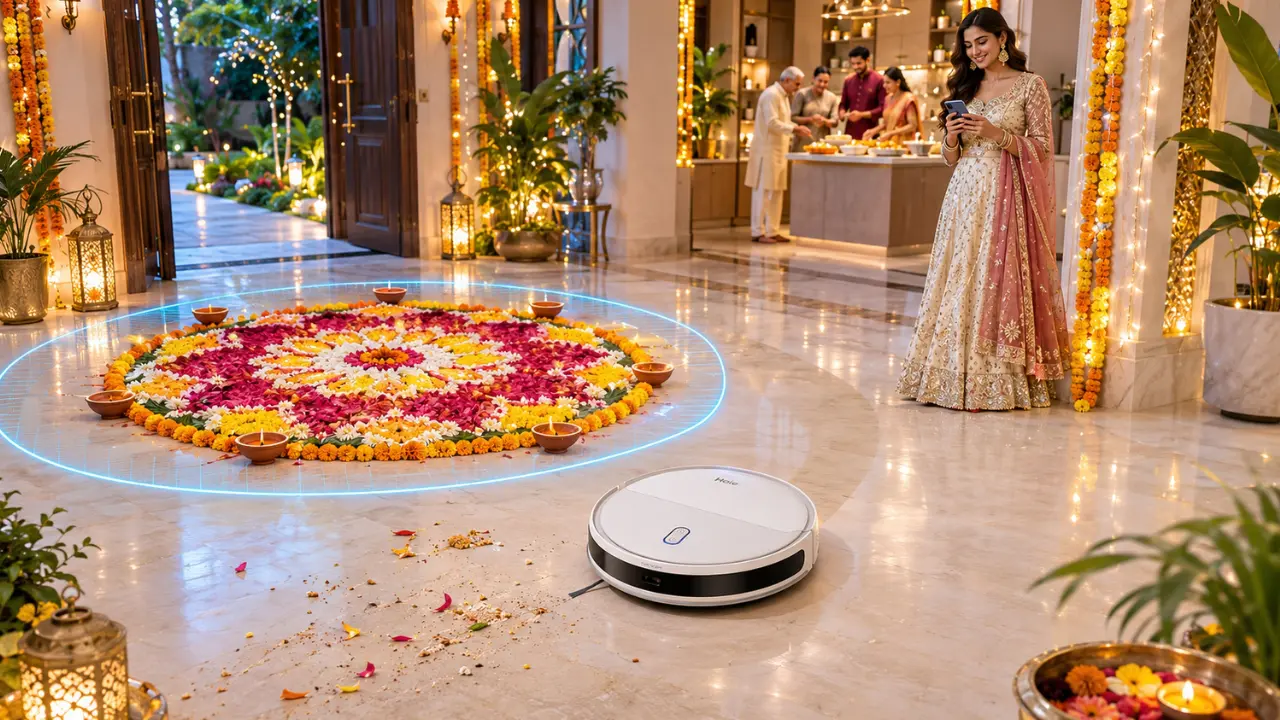

Finally, the rangoli is ready. It takes almost an hour to lay out the coloured powders in a complex flower design, and then you take a step back and look at it. The diyas are lit, the entrance is all decorated and everything is just fine.
Then comes your robot vacuum, quietly making its way across the living room.
An error and all that effort is gone in a flash.
Luckily, you need not sacrifice cleanliness for your floors and protection for your Diwali decorations. Using a robot vacuum no-go zone to prevent automated vacuum cleaners from cleaning your delicate rangoli designs means you can leave it to clean other parts of your home.
The key is to set those limits in the right way particularly if the holiday decorations alter your normal floor placement.
What Do You Mean by No-Go Zones in a Robot Vacuum Cleaner?
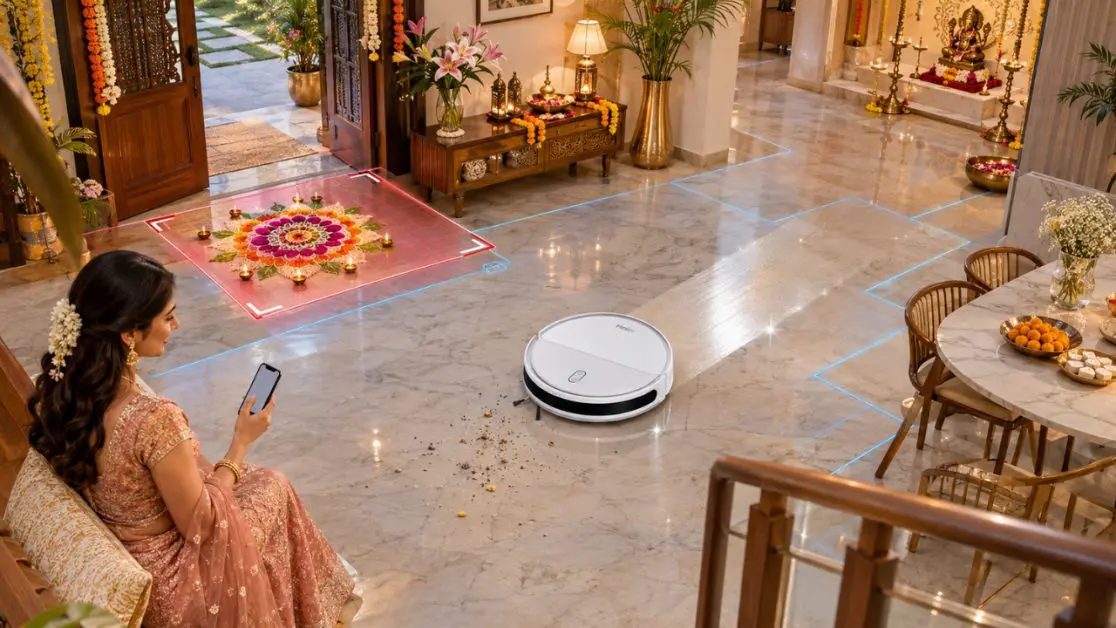
No go zone is a specific area that a compatible robot vacuum cleaner is told not to go into during the cleaning process.
The virtual boundaries are mostly available for robot vacuum models that can use a virtual map of the floor, which can be drawn by the user using the built-in mobile app.
Imagine you have drawn an invisible line around your rangoli.
The robot will clean allowed areas without intentionally entering the restricted area.
This is useful when it comes to Diwali as your home may have:
- The main entrance area has a rangoli design around it in colourful patterns.
- Flower arrangements in corridors for aesthetics.
- Preparations in the living room for Puja.
- Fragile floor furnishings around furnishings.
- Temporary seasonal exhibits requiring protection.
Not all the robot vacuum equipped with mapping capabilities will have support for editing no-go zones. The feature and its controls depend on the particular model and application.
When protecting rangoli, always check if virtual boundary functionality is available or not.
How to Make No-Go Zones Around Diwali Rangoli for Robot Vacuums
The practical approach to the setup of the no-go zones around the rangoli for Robot Vacuums is explained.
It’s best to choose the restricted cleaning area first, before you make your rangoli.
This will help you to test the robot’s movement without the risk of destroying the finished decoration.
Step 1: Complete the Initial Floor Mapping
The robot vacuum must know the spatial layout of your home to apply the cleaning restrictions based on the map.
If the model has the capability of mapping, start by letting the model move through the area you want to clean.
Before starting:
- Clear away any loose cords or small impediments.
- DO not use temporary decorations on the floor.
- Furniture should be arranged as it will be during the cleaning process.
- Allow the robot to complete its mapping process.
- If your application supports it, save the map.
Laser navigation can aid a robot vacuum to navigate and map the environment for route planning.
For example, the Haier CIVIC X11 Robotic Vacuum Cleaner is equipped with laser navigation and 5-mapping memory, which is ideal for families who hope to have their rooms cleaned in an organized way across the multiple mapped rooms.
Step 2: Find the Location of the Rangoli
Where will you be placing your rangoli?
Perhaps directly outside the puja room. Or along the entrance, where visitors will see it as they arrive.
Find that location on your robot vacuum’s virtual map display.
Keep in mind that the placement of the position on the application might not be an exact representation of all the small decorative features on the floor.
Therefore, don’t make the boundary too near the actual rangoli.
Step 3: Set Up a Restricted Area
If the robot vacuum is compatible with virtual no-go zones, then start editing the zones in its mobile app.
These controls are sometimes referred to as restricted areas, virtual walls or no-go zones, depending on the type of control.
The typical procedure is:
- Displaying the saved floor plan.
- Choosing one of the three features that can be used in a restricted area.
- Marking the area that will have the rangoli.
- Going beyond the edge of the decoration.
- Saving the refreshed cleaning information.
Some applications support rectangular zones; others support other controls on the zones.
Don’t make the assumption that all robot vacuums operate in the same way; follow instructions for your specific model.
Step 4: Leave a Safety Margin
The following is an item to remember.
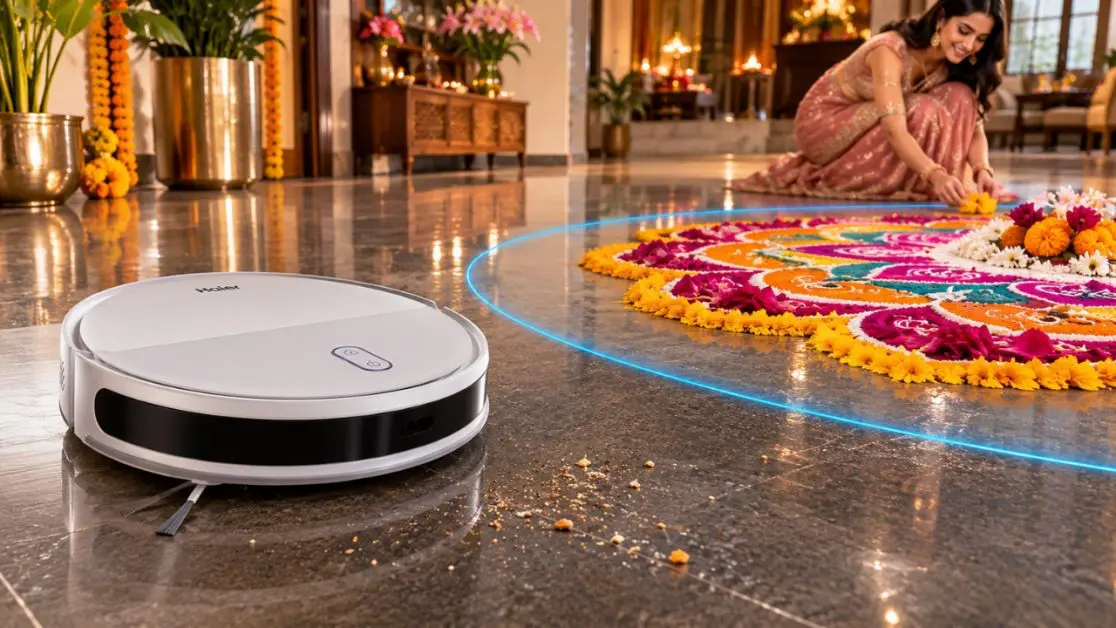
A small area of floor for your rangoli doesn’t mean that your cleaning brushes on the robot have to be shorter than the robot itself.
This means borders that are placed next to the design may not offer sufficient security.
Leave a margin around the rangoli large enough to accommodate the robot size, side brush and possible variation in robot movement.
Each robot vacuum has its own safe range. The size of the margin will vary depending on the position of the decoration and the type of appliance used.
Step 5: Test Prior to Diwali Celebrations
Don’t try this rangoli first
Do a supervised cleaning cycle without decorating the floor, but with a temporary marker to show the area where the rangoli will be drawn.
Check the robot’s behaviour with respect to the restricted boundary.
If it comes too close, increase the size of the zone and repeat the test.
For very fragile decorations, it may be better to not draw a narrow boundary with the exception of the entire entrance or puja area.
How Laser Navigation Is Important in Festive Cleaning
Diwali can transform the appearance of a house.
A corner with it’s small table may all of a sudden be bustling with an ornamental setting. The entrance area can be further furnished and the living room can function as a gathering area.
A laser navigation robot vacuum can assist in planning cleaning routes around the home’s mapped layout.
Haier provides a number of robot vacuum models with this technology.
Haier CIVIC X11 Robot Vacuum Cleaner
The Haier CIVIC X11 Robot Vacuum Cleaner has a 2 in 1 sweeping and mopping feature along with laser navigation.
Its features include:
- Suction power up to 5000 Pa.
- Five-map memory.
- 2600 mAh battery capacity.
- Maximum of 120 minutes of specified runtime.
- Control of mobile app and scheduled / customised cleaning.
- Alexa & Google voice control compatibility.
These features can help to make everyday floor cleaning a little easier this holiday season.
If the home has a rangoli, the availability of a no-go-zone function should be double-checked.
Haier CIVIC X11 PRO Robot Vacuum Cleaner
The Haier CIVIC X11 PRO Robot Vacuum Cleaner adds an Automatic Emptying dust collection station for extra convenience for households.
It not only provides 5000 Pa suction and app-based cleaning controls but also laser navigation and 5 map memory.
Collected dust from the robot is transferred to a bigger dust container by the auto empty station, making it easier to empty the dustbin on the robot after each cleaning.
Can be helpful when there is normal household dust and debris on floors during preparations for Diwali.
Haier CIVIC AI MAXX Robot Vacuum Cleaner
For those with a greater desire for sophisticated automated cleanings, the Haier CIVIC AI MAXX Robot Vacuum Cleaner is available.
It is equipped with an LDS laser navigation system, a suction power of up to 8000 Pa, a battery life of 5200 mAh and 4 cleaning functions, sweeping, mopping, dust collection and mop cleaning.
It is also equipped with auto-mop cleaning and auto-empty dustbin features, which are very convenient for minimizing maintenance.
These can be used to help keep areas clean during Diwali in suitable areas, and can help to keep decorative rooms clean by applying appropriate cleaning restrictions or physical separation.
What If Your Robot Vacuum Doesn’t Have No-Go Zones?
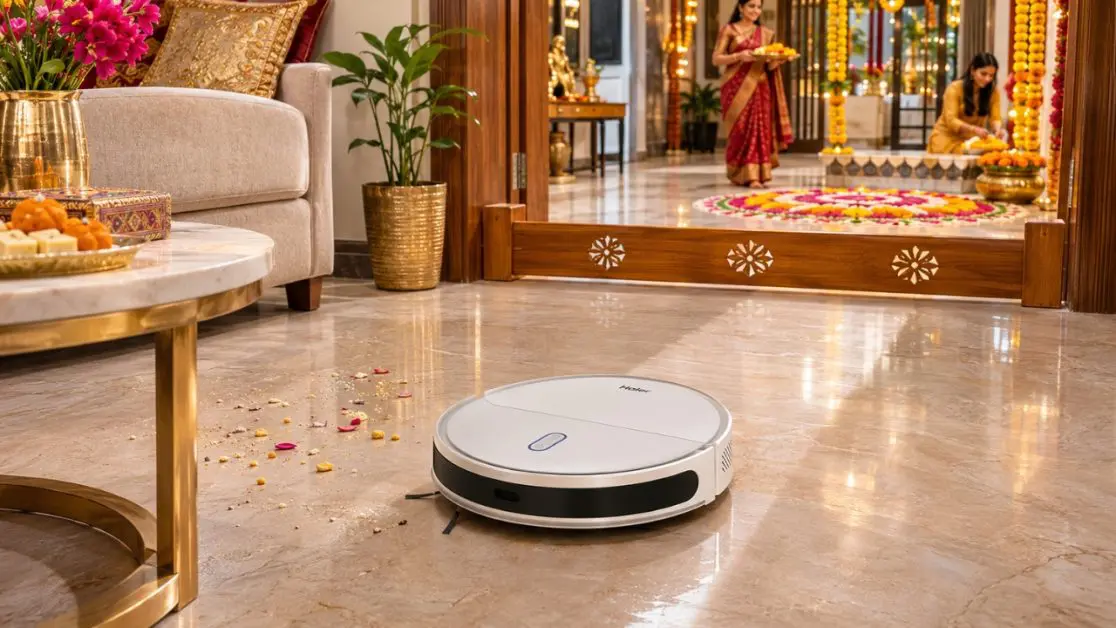
Not all robot vacuums have the ability to use digital restricted area controls.
And that’s all fine and easy to handle.
There are a few practical measures which need to be taken to keep your rangoli safe.
Use Physical Barriers
Set up a solid barrier around the decorated area to stop the robot from going in.
Make sure that the barrier will not fall over on top of the rangoli.
Close the Door to the Decorated Room
If the rangoli is located in a different room, make sure that this room is closed as the robot cleans the other rooms.
One of the easiest ways to prevent accidental contact.
Make Sure to Clean Up Before Putting Together the Rangoli Design
Plan your robot vacuum to be done before you start decorating.
After the rangoli has been finished, do not run the robot around the rangoli.
Use Targeted Cleaning Where Available
Choose areas clear of decoration if your appliance is able to be cleaned in each room or according to your preferences.
For instance, you can clean the bedrooms without affecting the decorated front door.
This protection is also applied where possible, even in cases of virtual no-go zones.
Common Mistakes That Can Spoil Your Diwali Rangoli
Hours of decorating can be ruined by a few minor mishaps.
Be aware of these circumstances:
- Placing the boundaries near the rangoli which does not give enough space for the robot’s brushes.
- After mapping, the charging dock is moved to a different location, which may impact navigation accuracy.
- Moving furniture without verification if the map saved is correct or not.
- Let’s take the assumption that obstacle detection is able to detect loose rangoli powder as something to avoid.
- Cleaning the same unsupervised by an adult near lit diyas or delicate decorations.
- Don’t forget that mopping may ruin coloured powder designs even without the direct vacuum suction.
Most importantly, ensure that the robot vacuum is kept away from lit diyas, flames and loose electrical decorations. Digital boundaries should not replace the basic fire safety.
Don’t Let the Holiday “Crazies” Get You
There is lots of activity in preparation for Diwali. Gifts are received, candy is given out, furniture is moved around and floors are mopped more often than usual.
A robot vacuum can be used to help clean the house’s regular messes without requiring constant human effort.
All the models of Haier’s CIVIC range combine features like laser navigation, intelligent mapping, app based controls and automated cleaning functions.
The Haier CIVIC X11 is designed for families who want to sweep and mop with ease and the CIVIC X11 PRO is equipped with auto-empty dust collection. With the CIVIC AI MAXX, that’s even easier, thanks to a higher specified suction power and automatic mop maintenance.
The decision of which model to use depends on the layout of your home, the cleanliness you need, and which mapping controls you require.
Check out Haier India’s robot vacuum range to discover which product suits your lifestyle, even on the busiest of festive occasions, when you’d rather spend time with your family than cleaning up.
Frequently Asked Questions
Can a robot vacuum cleaner damage Diwali rangoli?
Yes. A robot vacuum may disturb coloured powder, flower petals or other loose decorations through suction, brushes or mopping. Keep it away from the rangoli using verified no-go-zone controls or physical restrictions.
Can I create no-go zones using a mobile application?
Some mapping-enabled robot vacuum cleaners allow users to create restricted cleaning areas through their applications. However, this functionality is model-dependent and should be confirmed before use.
Does laser navigation automatically protect rangoli?
No. Laser navigation helps the robot understand its surroundings and plan cleaning routes, but it does not necessarily recognise rangoli as a decoration that must be avoided.
Should I run my robot vacuum before or after making rangoli?
Ideally, complete the cleaning cycle before creating your rangoli. This reduces the possibility of accidentally disturbing the finished design.
Which Haier robot vacuum cleaners offer laser navigation?
The Haier CIVIC X11, Haier CIVIC X11 PRO and Haier CIVIC AI MAXX feature laser navigation. Their cleaning functions and additional capabilities differ by model.