
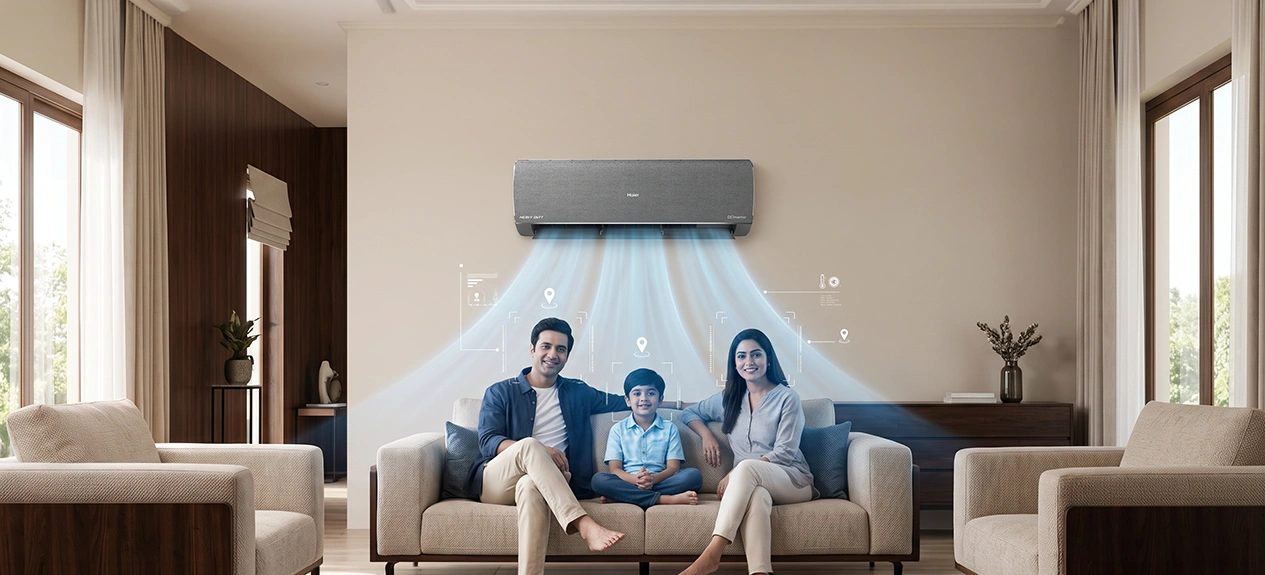

Air conditioning has always been about making a space feel comfortable, calm and convenient. However, as daily comfort requirements become more personal, people want cooling that feels smarter and more responsive.
That’s where AI cooling technology becomes a part of a bigger picture. The role of an air conditioner is moving towards a more thoughtful indoor experience. AI Target Cooling brings that experience closer to home by helping the unit detect where comfort is needed and adjust the airflow with greater intelligence.
Whether you are already thinking or considering Haier AI AC, this evolution is a sign of how cooling is getting smarter, intimate, and easier to enjoy. Now, let’s have a recap of all the traditional airflow modes we used to be back in the day and help you in understanding how AI target cooling can be a better choice for your space.
Choosing traditional airflow over modern AI cooling technology?
The comfort of a smart cooling AC is not only about how cold the room is, but also the movement of the air in the space. The following features would provide you with flexibility, balance and comfort in everyday use:
- Swing mode: The AC louvres will automatically move up and down to distribute cool air in the room. This provides us with the chance of getting rid of uneven cooling and makes the space feel comfortable without the user having to manually adjust the flow of the cold wind.
- 4-way swing: This mode lets the cool air swing in four different directions (up, down, left and right). This enables the flow of the air to cover a larger area. This is very useful for larger rooms and common areas.
- Turbo mode: If the room is too hot, you can use the AC’s turbo mode to experience faster and better cooling performance. This is handy to get a little instant comfort after you go into a warm room.
- Quiet or Sleep mode: Decreases operating noise and maintains gentle cooling. It’s a good choice for bedrooms, nighttime use, children’s rooms or work spaces where silence is important.
- Fan speed settings: Fan speed settings enable users to select the intensity of airflow from the AC. The low speed gives you a gentle and quiet flow of the air; the high speed provides faster cooling. And the auto mode adjusts the airflow according to the cooling requirements of the room.
Improve comfort and efficiency with AI target cooling
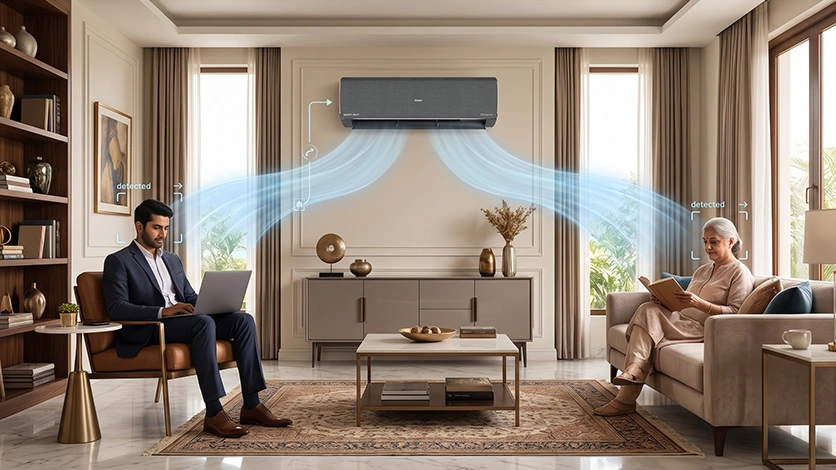
Haier’s Modern AI cooling technology is not about lowering the temperature anymore. People now look for comfort that feels more aware of their space, routine, and everyday needs. Following are some of the notable AI targeting cooling features:
- Area-based cooling: It is capable of supporting area-based or occupied area-based cooling in the room. As an example, people are having fun in one area of the space, so the AC can automatically redirect its flow of air more to that area.
- Faster comfort: The airflow is conveniently directed towards where it is much needed. So users can make themselves feel comfortable quickly. This is helpful when someone enters a warmer room and wants quick relief without waiting for the entire room to cool down first.
- Personal comfort: AI Target Cooling personalises by responding to real-time demands. It makes a more natural cooling environment. Particularly when people are sitting, working, relaxing or sleeping in different parts of the room with the means of Haier’s AI-powered AC.
- Less unnecessary cooling: The AC can cut off the flow of the air where it isn’t needed (empty or less-used areas). This helps to avoid the extra flow of the cold wind and assists with efficient everyday cooling.
- Smart controller: AI Target Cooling intelligently senses and controls to regulate air flow with little manual operation. This means users won’t have to keep changing the settings.
(Searching through multiple ACs lately? Choose amongst Haier’s Gravity AI ACs, which come with AI modern technology, textured fabric finish, and 5 years of product warranty)
Area selection in the Haier Smart App
Through the Haier Smart App, users can select the area, giving more control over cooling. They can select the area that needs comfort, turn on AI cooling technology and let the AC take care of airflow more smoothly. Here are some more features that can easily lure you to Haier’s convenience:
- App as a control point: Haier’s Haismart App for iOS and Android is the primary control point for area selection. This allows the users to control the cooling area from the phone instead of just the remote.
- Area selection: Through the app, users can select the cooling area they desire. As if the part of the room they are sitting, working, relaxing or spending more time on.
- Activating AI Target Cooling: Once you have selected the area, AI Target Cooling can be activated using the app. That means the AI-powered AC can deliver cooling where it’s needed most for comfort.
- Auto air flow direction: If this is on, the AC automatically blows cool air to the chosen area. This creates a more directed and functional feel to the airflow instead of just spreading evenly everywhere.
- Less manual adjustment: The app and AC work together to manage the selected cooling area, so users don’t have to keep changing airflow direction or settings over and over.
Need to know in depth about Haier’s smart home ecosystem?
Read More: Seamless Living: Controlling Your Haier Smart Home Ecosystem with a Single App)
What Room Size and Layout Suits AI Target Cooling Best?
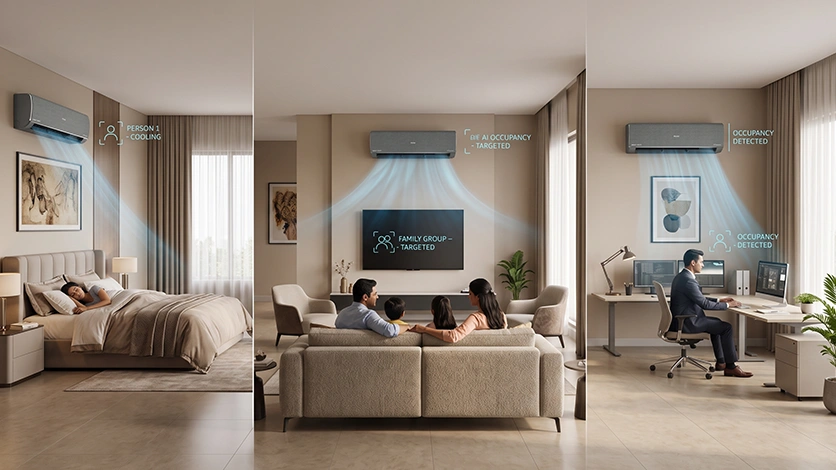
Not every room needs AI Target Cooling in the same way, it really comes down to how you actually use the space.
- Bedrooms are where this feature shines. You’re pretty much always in the same spot in bed, so pairing targeted airflow with Sleep mode gives you quiet, focused cooling exactly where it counts, without the AC working overtime on the rest of the room.
- Living rooms and halls are a bit more situational. If your seating is fixed, say, everyone’s parked in front of the TV, targeting that zone makes sense. But in a living room where people are constantly moving between the kitchen, the sofa, and everywhere in between, a good old 4-way swing might honestly serve you better.
- Home office corners are an easy win. If your desk is tucked into one part of a bigger room, there’s no reason to cool the entire space just so one corner stays comfortable through your workday. This is exactly the kind of scenario targeted cooling was built for.
- Smaller 1BHKs or studios, on the other hand, don’t gain much here, a compact room is already well within reach of a standard swing or 4-way mode. AI Target Cooling really earns its keep in bigger rooms or ones with an uneven layout, where a lot of the space would otherwise get cooled for no one.
AI Target Cooling vs Traditional Airflow: Side-by-Side
For years, people have relied on traditional Airflow as a way to steer the cooling and air movement throughout a room. But now the AI Cooling technology is becoming smarter. Targeted Cooling adds a further advancement in how comfort is managed. This is how the AC cooling has evolved over the decades:
| Factor | Traditional Airflow | AI Target Cooling |
| Cooling approach | Spreads air across the room via fixed or oscillating modes | Directs air to a user-selected zone |
| Control method | Remote – swing, 4-way, turbo, fan speed, sleep mode | Haier Smart App — select zone, activate targeted airflow |
| Best suited for | Small/compact rooms, open multi-use spaces, and users who prefer simple remote control | Bedrooms, desks, sofas — any space with one dominant-use zone |
| Manual effort | Requires adjusting mode/speed as needs change | Set once via app; maintains zone automatically |
| Energy use | Cools the full room regardless of occupancy | Reduces airflow to unused areas of the room |
Conclusion
Cooling is more than just temperature and airflow direction. You still get traditional airflow modes for familiar comfort. AI cooling technology takes it one step further with a smarter approach to cooling that is more targeted, personal and easier to manage.
The Haier AI AC with area selection, app control and intelligent airflow direction allows users to get comfort where they need it most with less manual effort. AI-targeted cooling is a practical step in the direction of everyday comfort that truly feels effortless for those seeking a more modern, responsive cooling experience.
Frequently Asked Questions
What is an AI AC, and how does it work?
AI AC (Artificial Intelligence Air Conditioner) is a smart cooling system that automatically adjusts its settings in real time. It uses automated control, sensor monitoring, cloud integration & geofencing and machine learning.
What does AI Target Cooling mean?
AI Target Cooling is an intelligent air conditioning feature that directs airflow to the occupied zones of a room rather than cooling the whole room unevenly.
What is the difference between AI cooling and normal/auto mode?
AI cooling technology is different from the standard or auto mode as it changes from a reactive thermostat to a predictive one. Normal mode needs some manual tweaks, but auto mode just blindly holds a fixed temp.
Do AI ACs save on electricity?
Yes, AI air conditioners consume less electricity as compared to normal systems by around 15% to 30%. It does this by learning your habits, adjusting for humidity and room temperature, and using smart sensors.
Is AI AC costlier in India?
Yes, AI-enabled ACs cost ₹8,000-₹15,000 more than regular non-AI inverter ACs in India.