
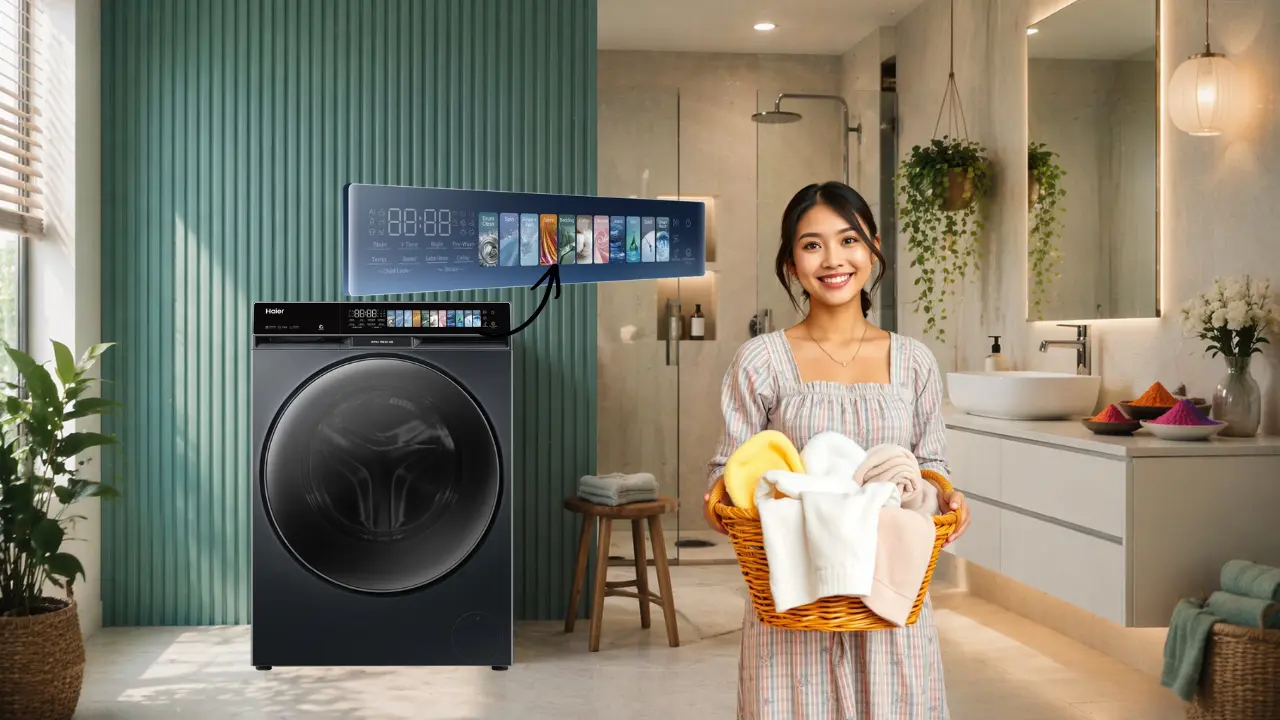

A colorful touch panel in a washing machine is a digital screen that lets you interact with the machine by touching it instead of pressing buttons.
It uses colors, icons, and AI-powered automation to make it easier to choose a wash, guide users, and automatically pick the best settings based on the fabric, load, and amount of dirt.
Why does a washing machine suddenly feel like a smartphone?
Walk into a modern Indian home on a Sunday morning.
Laundry basket full.
Three different fabrics.
One person in a rush.
And then comes the pause.
Which setting?
Cotton? Mix? Quick wash?
This is where most washing machines quietly fail. Not because they cannot wash clothes. But because they demand decisions.
A colorful touch panel changes that.
It turns a machine from something you operate into something you interact with.
Like your phone.
Like your TV.
Like everything else that I learned to speak your language.
What exactly is a Colorful Touch Panel?
It replaces complexity with clarity.
A colorful touch panel is a large, vibrant digital screen that shows:
Fabric icons like cotton, jeans, shirt, sari
Wash programs visually instead of text-heavy labels
Real-time updates like time remaining, water level, temperature
Interactive controls that respond instantly to touch
In advanced models like the Haier 12 Kg F9 Pro Front Load Washing Machine (HW120-DM14F9PBKU1), the Haier 10 Kg Fully Automatic Front Load Washing Machine (HW100-DM14F9BKU1), and the Haier 12 Kg F11 Front Load Washing Machine (HW120-DM14F11BKU1) and Washer Dryer (HWD120-DM14F11BKU1), this experience goes further.
Because here, the panel is not just digital. It is intelligent.
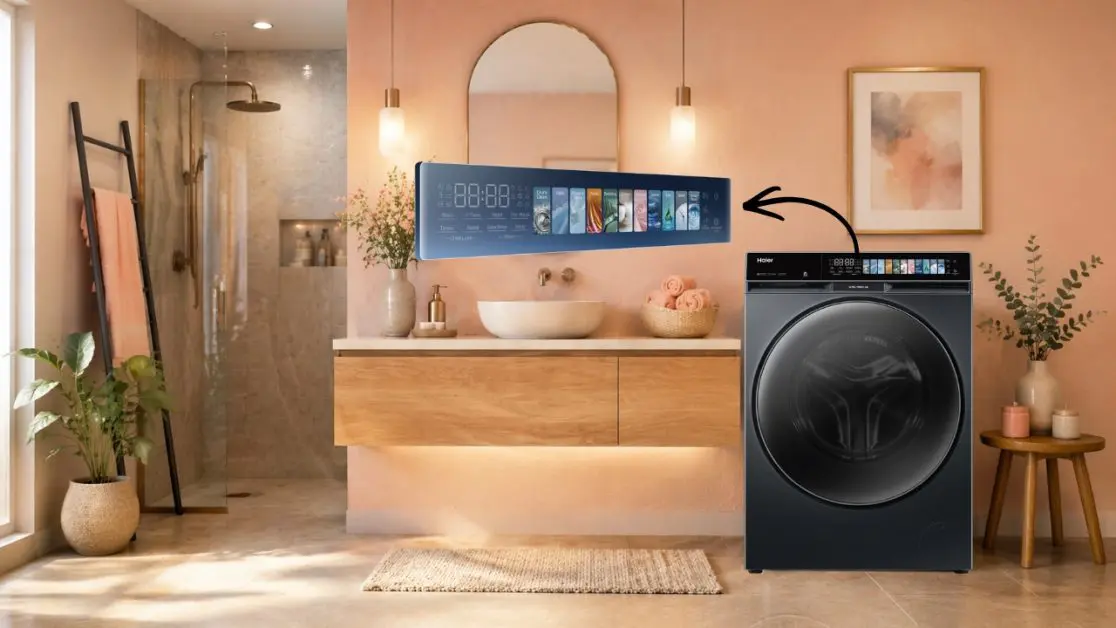
The AI-powered Colour Panel delivers a vibrant, intuitive interface that makes laundry interactive and effortless, designed to simplify decisions while adapting to your load automatically
That is the shift.
From reading instructions to seeing outcomes.
The hidden system: Why visuals reduce effort
Most people assume washing machines are about motors and drums.
They are not.
They are about decisions.
And decisions create friction.
A colorful touch panel solves this through a simple system:
| Traditional Panel | Colorful Touch Panel |
| Text-based options | Visual icons |
| Requires manual selection | Suggests or auto-selects |
| Static interface | Dynamic, responsive screen |
| Learning curve required | Instantly intuitive |
Clarity is not a feature. It is a design principle.
When you reduce thinking, you reduce mistakes.
When you reduce mistakes, you reduce effort.
And suddenly, laundry feels lighter.
How does AI make the panel smarter?
One touch replaces five decisions
Here is what typically happens without AI:
- You choose the program
- You set temperature
- You adjust spin speed
- You estimate load size
- You hope it works
Now compare that with AI-enabled panels.
With One-Touch AI Wash, the machine senses fabric type, load, and dirt level, then selects the ideal settings automatically
One tap.
Everything was handled.
The real benefit is not automation. It is confidence.
You stop second-guessing.
You stop overthinking.
You trust the system.
Why does colour matter so much?
Because humans don’t think in text first
Think about traffic lights.
Red.
Green.
Yellow.
You react instantly.
Now imagine if traffic signals were written instructions instead.
Slower. Heavier. Confusing.
That is exactly what old washing machines felt like.
A colorful touch panel uses:
- Blue tones for water-related actions
- Green for eco modes
- Fabric icons instead of labels
This reduces cognitive load.
Colour is not decoration. It is communication.
Where does this matter in real Indian homes?
Scenario 1: Mixed laundry after a busy week
Jeans. Office shirts. Gym clothes.
One option is to separate everything and run multiple cycles.
The second option is to guess a setting and risk damage.
The third option is to let the AI panel decide.
Most people shift to the third after one experience.
Scenario 2: Late-night laundry
Indian homes do not follow fixed schedules.
Laundry happens when time allows.
Features like Night Wash combined with intuitive panels enable silent operation and quick setup without disturbing anyone
You do not read manuals at night.
You just tap.
Scenario 3: First-time users in the house
Parents. Guests. Domestic help.
A colorful touch panel removes the need for explanation.
Icons guide behaviour.
The system teaches itself.
What are the real benefits of a Colorful Touch Panel?
Not features. Outcomes.
1. Faster decision-making
- No need to interpret labels
- Visual cues guide instantly
- Saves time daily
2. Reduced errors
- Correct settings selected automatically
- Less fabric damage
- Better wash results
3. Better resource usage
AI systems optimize:
- Water levels
- Wash time
- Energy consumption
4. Accessibility for everyone
- Easy for elderly users
- Simple for first-time users
- No technical learning required
5. Premium experience
A colorful touch panel transforms the look of your laundry space.
Cleaner. Smarter. More refined.
It feels like a part of your lifestyle, not just a machine.
Are there any trade-offs?
Every system has a cost
One option is traditional controls.
- Lower upfront cost
- Familiar interface
- Limited automation
The second option is a colorful touch panel.
- Slightly higher cost
- More advanced interface
- Higher convenience
The third option is hybrid.
- Partial automation
- Mixed controls
The real decision is not price. It is a daily usage.
How Haier builds around this experience
Haier does not treat the panel as a standalone feature.
It builds an ecosystem.
In models like the Haier 12 Kg F9 Pro Front Load Washing Machine (HW120-DM14F9PBKU1):
- AI Colour Panel for intuitive control
- One Touch AI Wash for automation
- Direct Motion Motor for silent, durable performance
- Smart connectivity for remote control
This connects three layers:
- Interface
- Intelligence
- Performance
That combination defines long-term experience.
The bigger pattern: Appliances are becoming interfaces
Look around your home.
TVs became screens.
Phones became assistants.
ACs became adaptive systems.
Now washing machines are becoming intelligent interfaces.
Not just machines.
The future of appliances is interaction, not operation.
What should you look for when choosing one?
Not all touch panels are equal
- Screen size and brightness
- Clarity of icons
- AI automation capability
- Real-time feedback
- App integration
If it looks good but confuses you, it fails.
If it simplifies your decisions, it works.
The final insight: Less thinking is better living
But friction does not have to.
A colorful touch panel removes small decisions from your day.
And small decisions are what quietly drain energy.
Good technology does not add complexity. It removes effort.
That is what makes it worth noticing.
That is what makes it worth choosing.
Frequently Asked Questions
I always get confused between cotton, mix, and quick wash. How do I choose the right one?
A colorful touch panel replaces text-heavy options with visual icons and AI suggestions. In many cases, you don’t even choose the machine that recommends or auto-selects the best program based on your load.
I don’t want to think every time I do laundry can the machine just decide for me?
Yes. AI-powered panels (like those in Haier 12 Kg F9 Pro Front Load Washing Machine) use sensors to detect fabric type, load size, and dirt level, then automatically set temperature, time, and spin speed.
I left my laundry in the washer overnight. Do I need to rewash it?
Yes, usually. Damp clothes can develop odor. A colorful touch panel helps by showing cycle completion alerts and reminders, reducing chances of forgetting.
My parents or house help struggle with my washing machine will this make it easier?
Definitely. Visual icons (shirt, sari, jeans) remove the need to read English labels. The interface becomes self-explanatory, even for first-time users.
What exactly makes a touch panel “colorful” and different?
It uses a vibrant digital screen with color-coded options, icons, and real-time updates. Instead of reading text, you interact visually like using a smartphone.
Is a colorful touch panel just for looks?
No. Color improves usability by reducing cognitive load. For example, blue indicates water-related functions, green signals eco modes helping you make faster decisions.
Does it really feel like using a smartphone?
Yes. You tap, swipe, and interact visually. The machine responds instantly and often guides you step-by-step, just like modern apps.
Is it difficult for older people or first-time users?
Actually, it’s easier. Icons and colors are more intuitive than text-heavy controls, making it accessible even for non-technical users.