

A television rarely gives up overnight for no reason.
More often, the trouble begins quietly. Dust gathers behind the panel. Ventilation gets blocked because the TV sits too close to a wall. The screen is cleaned with whatever happens to be lying around. A gaming console remains connected for months, wires become a permanent tangle, and the television stays switched on even when nobody is really watching.
None of this feels dramatic. That is precisely why these habits are easy to ignore.
For Indian households, where a TV may handle everything from morning news and children’s programmes to IPL evenings, gaming sessions and late-night streaming, looking after the television matters. A premium TV is not merely another appliance sitting in the living room anymore; it is often the family’s main entertainment screen.
Here are the everyday mistakes that deserve more attention.
Mistake 1:Your TV Needs Space, Not Just a Perfect Spot on the Wall
One of the first decisions made after buying a large-screen television is where it will look best.
Fair enough. But appearance should not be the only consideration.
Televisions contain electronic components that generate heat while operating. Keeping adequate breathing room around the unit helps heat dissipate rather than remain trapped around the chassis.
Problems can begin when a television is:
- pushed tightly into a closed entertainment cabinet;
- surrounded by objects that obstruct ventilation;
- positioned directly beside another heat-producing appliance;
- installed without considering the manufacturer’s mounting guidance.
A clean, minimalist television wall can look excellent. Just make sure minimalism does not accidentally become suffocation.
Heat Is Easy to Ignore Because You Cannot See It
People naturally worry about a cracked screen. Heat feels less urgent because there is nothing obvious to look at.
Yet repeated exposure to excessive operating temperatures is hardly ideal for electronics. Good airflow is one of those unglamorous habits that can help create better operating conditions over the long term.
The rule is wonderfully simple: give the television room to breathe.
Mistake 2: Treating the Screen Like Ordinary Glass
That quick spray-and-wipe routine used on a window should not automatically migrate to the television.
Modern display surfaces need more thoughtful handling. Harsh cleaners, excessive moisture and rough cloth can leave marks or potentially affect surface coatings.
For routine dusting, a clean, soft microfibre cloth is generally the safer approach. Before cleaning, switch the TV off and follow the care instructions provided for the particular model.
And no, pressing harder does not make a stubborn fingerprint disappear more intelligently.
It just means you are pressing harder on an expensive display.
A Better Screen-Care Habit
For day-to-day care:
- keep liquids away from the panel and ports;
- avoid abrasive cloth or rough paper;
- do not spray cleaning liquid directly onto the screen;
- clean with light pressure;
- keep children’s sticky fingers away where possible admittedly, the last one may be the hardest engineering problem of all.
Mistake 3: Forgetting About Dust Behind the Television
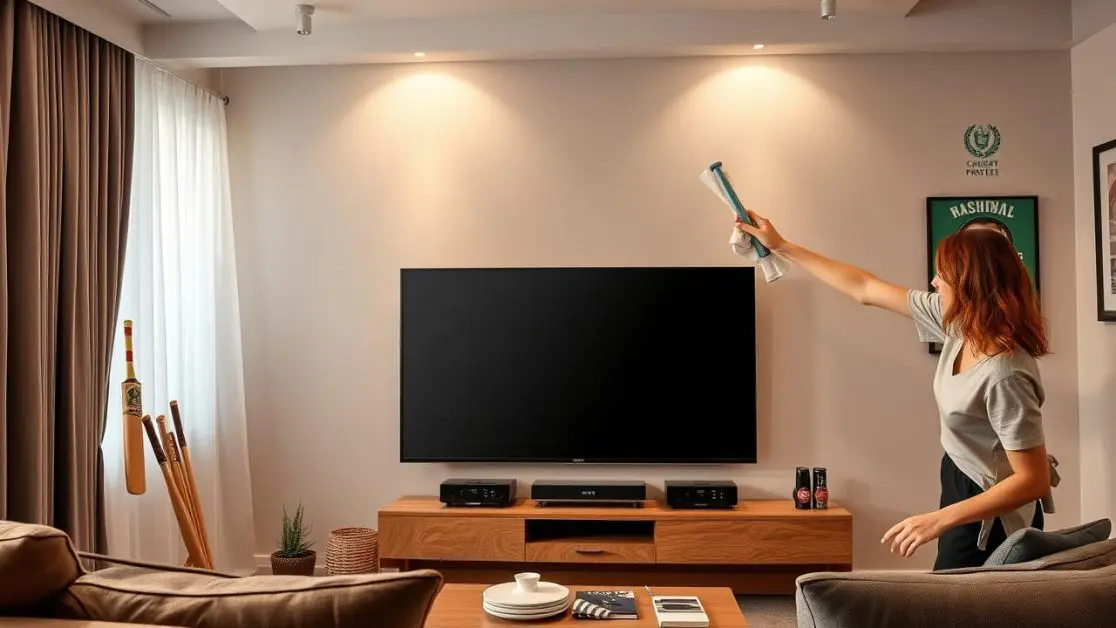
The front of the TV generally gets plenty of attention because everybody can see it.
Behind it? Different story.
Dust gradually settles around stands, cables, openings and surrounding furniture. In Indian cities, open windows, construction activity, traffic dust and seasonal conditions can make this particularly noticeable.
Periodic cleaning around the television helps keep its installation area tidier and prevents dust from becoming a permanent resident.
Do this carefully. There is no need to dismantle the television or poke objects into vents. For anything involving internal inspection or an actual fault, professional service is the sensible route.
Mistake 4: Leaving the TV Running Because “Someone Might Watch It”
There is a familiar scene in many homes.
The television is playing. Nobody is watching. One person is scrolling through a phone, another has gone to the kitchen, and someone else left the room half an hour ago.
Still, the TV continues.
Occasional long viewing sessions are one thing. Habitually leaving a television operating when it serves no purpose simply adds unnecessary running hours.
If the room is empty for a meaningful period, switching the television off is not exactly a hardship.
For smart televisions, it also makes sense to understand available energy-management and sleep-related settings rather than treating them as menu decorations.
Mistake 5: Using One Picture Setting for Everything
Maximum brightness can look impressive on a showroom floor.
At home, however, the best setting depends on the room, time of day and type of content being watched. A brightly lit cricket afternoon and a film watched at 11 pm are entirely different environments.
Constantly pushing settings higher than necessary does not automatically produce a better picture.
Instead, adjust the TV sensibly for the viewing environment and use available picture modes appropriately. The goal is comfortable, enjoyable viewing not making the television win an imaginary brightness competition with the ceiling lights.
Mistake 6: Ignoring Ports, Cables and Connected Devices
Today’s television is often the centre of a fairly crowded ecosystem.
Set-top box. Console. Sound system. Streaming device. Maybe a laptop occasionally. Perhaps another device somebody connected three months ago and then forgot about entirely.
That makes cable management more important than it sounds.
Avoid forcing connectors into ports, repeatedly yanking cables out by the wire or letting heavy cables hang awkwardly from connections. When connecting equipment, match the device and cable to the appropriate television input.
It sounds obvious. In practice, hurried cable swapping causes a surprising amount of unnecessary rough handling.
Mistake 7: Treating Software Updates as an Annoyance
A modern smart television is not simply a display panel.
Its software helps run apps, connected features and the overall smart-TV experience. When official updates are made available for a television or its supported applications, routinely ignoring them may leave the system without later improvements or fixes.
Updates should come through legitimate, manufacturer-supported channels. Avoid experimenting with unofficial software merely because somebody on an internet forum promises it will “unlock everything”.
That is not an upgrade strategy. It is a gamble.
Mistake 8: Trying to Repair Everything Yourself
A loose external cable? Check it.
Remote not responding? Basic troubleshooting is perfectly reasonable.
Television repeatedly shutting down, displaying abnormal behaviour or developing an internal hardware issue? Different territory.
Opening the cabinet without appropriate expertise can introduce electrical and physical risks while potentially complicating a repair that should have been straightforward.
Start with the user guidance and standard troubleshooting. When the problem clearly goes beyond basic checks, use authorised support.
Knowing when not to fix something is part of looking after it properly.
What Good TV Ownership Actually Looks Like
Television care does not require a complicated maintenance calendar taped beside the screen.
Most of it is ordinary common sense carried out consistently.
A few habits make the biggest difference:
- provide sensible ventilation around the unit;
- keep the screen and surrounding area clean;
- handle ports and cables gently;
- switch the TV off when it is genuinely not being used;
- choose appropriate picture settings instead of permanently maximising everything;
- use supported software and updates;
- seek professional assistance for faults beyond basic troubleshooting.
Small things, really. But small things repeated for years become significant.
The Better Approach Starts With Choosing the Right Television Too
Care helps protect a television after it enters the home. The buying decision determines what you will actually be living with.
For households building a more premium entertainment setup, Haier India’s M80F Mini LED Google TV range brings together display, audio, smart functionality and connectivity across multiple screen sizes.
The range includes:
- Haier M80F Mini LED 140 cm (55) Google TV – H55M80FUX
- Haier M80F Mini LED 165 cm (65) Google TV – H65M80FUX
- Haier M80F Mini LED 189 cm (75) Google TV – H75M80FUX
That choice of sizes matters. A television should fit the room and intended viewing experience rather than simply being the biggest panel that can physically pass through the doorway.
Why the Haier M80F Deserves a Closer Look
The headline feature is Mini LED technology, designed to offer vibrant colours, deep blacks and an immersive viewing experience. The M80F range also brings Dolby Vision and HDR10 into the picture experience.
Then there is the sound.
Haier has paired the M80F with Sound by KEF, along with a 2.1-channel 50W audio system and Dolby Atmos. That combination is especially relevant because television audio can easily become an afterthought when people compare only screen specifications.
Here, it is clearly part of the viewing proposition.
For fast-moving entertainment, the M80F additionally supports motion-oriented features including MEMC, while DLG 120Hz is listed for smoother motion and reduced blur in fast-paced content. Gaming-related capabilities shown for the range include technologies such as VRR and ALLM.
So whether the evening involves a football match, a console session or a weekend film, the television is built around more than one kind of entertainment.
And Then There Is the Smart Side
The M80F runs Google TV, bringing content discovery and personalised recommendations into one interface.
Its listed smart capabilities also include:
- Google Assistant;
- hands-free voice control;
- built-in Chromecast;
- Google Play Store;
- Google TV Remote App;
- Bluetooth 5.1;
- multiple HDMI inputs, including HDMI 2.1 eARC support.
A Solar Remote adds another distinctive element to the overall experience.
The important point is not collecting features for the sake of a specification sheet. A modern television becomes useful when the picture, sound, controls and connected experience work together naturally during everyday viewing.
A Premium Television Still Deserves Ordinary Care
The irony of television ownership is that people can spend weeks comparing display technologies, audio systems and screen sizes, then forget the simple habits that help protect that investment once it reaches the living room.
Do not let maintenance become an afterthought.
Position the television thoughtfully. Keep ventilation clear. Clean the screen gently. Handle connections properly. Use its settings intelligently. And when something genuinely goes wrong, get the right support rather than turning the living room into a repair workshop.
For buyers considering their next entertainment upgrade, the Haier M80F Mini LED Google TV range offers140 cm (55), 165 cm (65) and 189 cm (75) options built around Mini LED visuals, Dolby technologies, Sound by KEF and Google TV functionality.
Choose the screen that suits the room. Then look after it properly.
Because the television you enjoy for years is not simply the one with the longest feature list.
It is the one you never accidentally mistreated in the first place.
Frequently Asked Questions
1. What are the most common mistakes that can reduce a TV’s lifespan?
Poor ventilation, excessive dust build-up, improper screen cleaning, leaving the television running unnecessarily, rough handling of ports and cables, ignoring software updates and attempting unauthorised repairs are common mistakes. Following the manufacturer’s installation, usage and maintenance instructions is the safest approach.
2. Is it okay to leave a smart TV switched on for long hours?
Long viewing sessions are normal, but leaving a television running for hours when nobody is watching adds unnecessary operating time. Switching it off when it is not required and making sensible use of available energy-management or sleep settings is a better everyday habit.
3. How should I clean my television screen safely?
Switch the television off before cleaning and use a clean, soft microfibre cloth with gentle pressure. Avoid abrasive materials and do not spray liquid directly onto the display. Always follow the cleaning guidance supplied for your particular television model.
4. Can poor ventilation damage a television?
A television generates heat during operation, so adequate airflow around it is important. Avoid obstructing ventilation areas or placing the TV in a tightly enclosed space without sufficient breathing room. Installation should always follow the manufacturer’s recommended guidelines.
5. Should I keep my smart TV software updated?
Yes. When official updates are available, keeping the television and supported applications updated can provide fixes, improvements and continued compatibility with smart features. Updates should be obtained only through legitimate, manufacturer-supported channels.
6. What makes the Haier M80F Mini LED Google TV suitable for home entertainment?
The Haier M80F Mini LED Google TV range combines Mini LED display technology with Dolby Vision, HDR10, Sound by KEF, a 2.1-channel 50W audio system, Dolby Atmos and Google TV. The range is available in 140 cm (55), 165 cm (65) and 189 cm (75) screen sizes, allowing buyers to select an option appropriate for their room and viewing preferences.