
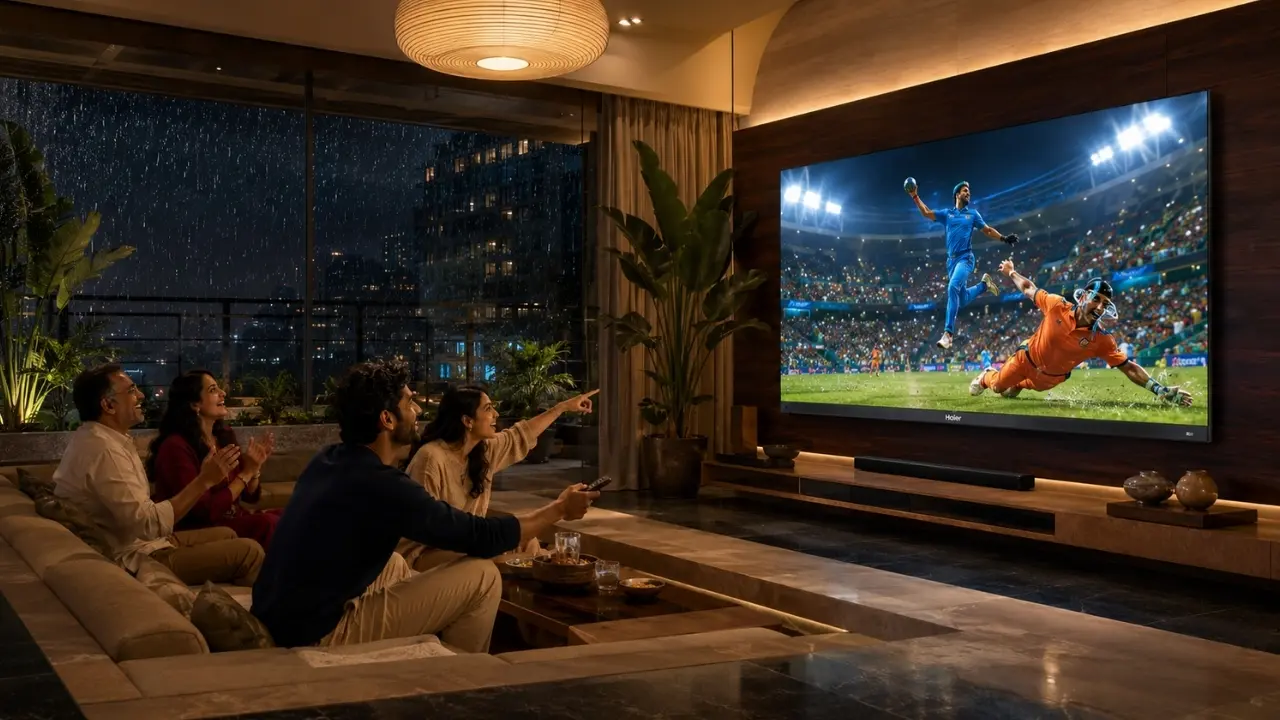

You are halfway through an episode. Someone remembers there is a live match on another app. Two minutes later, somebody else wants to check a video on YouTube.
And suddenly the evening turns into a small remote-control exercise.
That is the slightly odd reality of modern television. We have more entertainment choices than ever, but having ten apps available does not automatically make getting between them effortless. A smart TV feels genuinely smart only when finding, opening and moving between content does not become a task in itself.
Fortunately, a few changes in how you use your television can make switching between streaming apps considerably easier.
First, Stop Treating Every App Equally
Most households have favourites.
Perhaps one OTT platform handles weekday viewing, YouTube gets opened several times a day, while another service comes alive mainly for sports or weekend films. Yet TV home screens often end up cluttered with applications that receive nowhere near the same use.
The simplest improvement is behavioural rather than technical: keep the services you actually watch within easy reach.
When customisation options are available on your television interface:
- Give frequently used apps more prominent positions.
- Remove or push rarely used services further down.
- Avoid installing apps merely because you might use them eventually.
- Periodically review applications that have been sitting untouched for months.
Think of it like the front shelf of an Indian kitchen. The masala you use every evening stays close. The baking ingredient required twice a year? Probably not.
Your smart TV deserves roughly the same logic.
Use Search Instead of Opening Three Apps to Find One Programme
Here is where viewers often waste time.
You know the programme you want to watch, but cannot remember which streaming platform carries it. So you open one application, search, back out, open another, search again.
There is a better habit: start with the television’s search and content-discovery capabilities wherever possible.
Google TV, for instance, is built around bringing entertainment discovery into a broader television interface rather than forcing every viewing decision to begin inside an individual application.
That distinction matters.
Instead of thinking:
“Which app should I open?”
think:
“What do I want to watch?”
It sounds minor. During everyday viewing, it can change how quickly you get from the home screen to actual entertainment.
Your Voice Can Be Faster Than Your Thumb
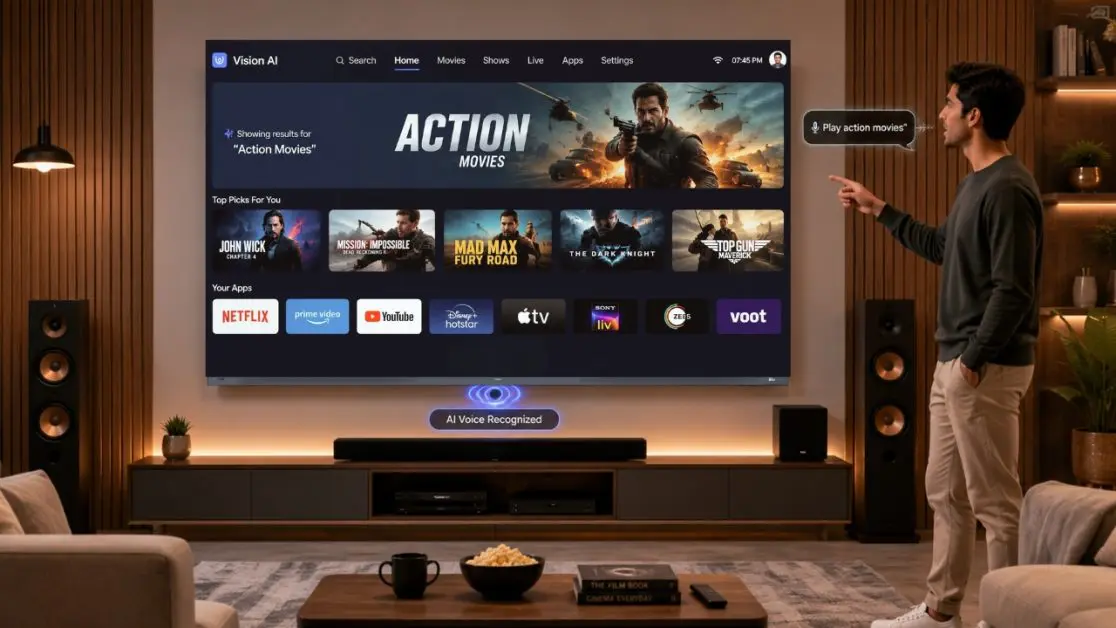
There are evenings when even typing the first five letters of a title using an on-screen keyboard feels longer than it has any right to.
Voice control becomes particularly useful here.
The Haier New P7 Pro Series HQLED AI Smart Google TV with Gemini supports hands-free voice control, allowing viewers to use voice commands for entertainment discovery and TV control without depending entirely on the remote.
That is useful when you want to move quickly rather than navigate several rows of icons.
A practical routine could be as simple as asking for the programme, genre or content you want rather than repeatedly working through menus.
Hands-free interaction can also make the television easier to operate when the remote has inevitably disappeared between sofa cushions. Again.
Do Not Ignore What Happens Behind the Interface
There is another part of app switching that users cannot organise away: the hardware handling the applications.
A television may have a tidy interface, but frequent app usage still involves loading software, navigating menus and dealing with installed content. Memory and storage therefore matter to the broader smart-TV experience.
The Haier P7 Pro Series comes with 2GB RAM and 32GB storage, giving the television space for apps, games and entertainment content while supporting smart-TV multitasking.
The important point is not to install 32GB worth of applications simply because the capacity exists. Quite the opposite.
More storage gives users flexibility. Sensible app management keeps that flexibility useful.
A Quick App-Hygiene Routine
Every few months:
- Check which streaming applications you still use.
- Uninstall apps you no longer need.
- Keep your important applications updated.
- Restart the television periodically when required.
- Check that your Wi-Fi connection remains stable.
- Avoid filling storage with applications nobody in the household actually opens.
None of this sounds glamorous. It works, though.
Your Internet Connection May Be the Real Bottleneck
People sometimes describe a television as “slow” when the delay is actually happening after the app opens.
Streaming depends heavily on connectivity. If thumbnails take ages to populate, previews struggle to appear or content keeps buffering immediately after you switch services, the TV may not be the only thing worth examining.
Before blaming the interface, check:
Wi-Fi strength
A television installed far from the router, behind thick walls or in an area with poor wireless coverage may experience inconsistent connectivity.
Network congestion
An Indian household can easily have several phones, laptops, smart devices and televisions sharing the same connection. Evening usage can become surprisingly crowded.
App-specific problems
If nine applications work normally and one repeatedly struggles, the issue may sit with that specific application or service rather than the TV.
The Haier P7 Pro Series specifications include Wi-Fi 5 connectivity as well as an Ethernet LAN port, giving users wired and wireless networking options depending on their home setup.
When Your Phone Already Has the Content, Cast It
Sometimes opening another app on the TV is unnecessary.
Perhaps somebody has already found a video, photograph or piece of content on a phone. Searching for the same thing again through the television creates needless steps.
The Haier P7 Pro Series includes Chromecast built-in, enabling compatible content from smartphones to be cast onto the television.
That changes the workflow.
Phone already in your hand? Content already located?
Send it to the larger screen rather than beginning the hunt all over again.
For Indian households where several family members regularly share videos and entertainment from their phones, casting can become one of those small conveniences that gets used far more often than expected.
Faster Switching Means Little if the Viewing Experience Drops Afterwards
This is where the conversation gets interesting.
Opening an app quickly is useful. But once the content begins, the television still has to do its main job properly: present the picture and sound.
The Haier P7 Pro Series HQLED combines smart entertainment capabilities with a picture and audio feature set designed around varied content.
Across the 139 cm (55), 164 cm (65) and 189 cm (75) models, Haier specifies features including:
- QLED/HQLED technology
- 4K resolution of 3840 × 2160
- HDR10+
- Dolby Vision
- 93% DCI-P3 colour coverage
- MEMC
- AI Picture Quality
- Dolby Atmos
- 50W audio output
- 2.1-channel audio with an inbuilt subwoofer
Why bring these up in an article about streaming apps?
Because modern households do not merely switch between applications. They switch between types of entertainment.
A brightly shot travel programme can be followed immediately by a dark thriller. Then perhaps live sport. Then music. The content characteristics keep changing even when the screen does not.
Haier’s AI Picture Quality is designed to optimise brightness, contrast, colour and clarity in real time for different content types, while HDR10+ and Dolby Vision address picture presentation and MEMC is aimed at smoother fast-moving scenes.
So the experience is not only about reaching the next app. It is about what happens after you get there.
Set Up the TV Around Your Household, Not Around the Demo Screen
A showroom television has one user: essentially, nobody.
Your television may have five.
That difference matters.
One parent may watch news and films. Someone else follows sport. Children may head towards video platforms. Another family member may mostly stream music or cast content from a phone.
Instead of leaving the smart TV exactly as it was on day one, spend a little time making the interface reflect real household behaviour.
Try this simple approach
Keep daily-use services accessible.
Do not bury them beneath apps used once every few months.
Use voice when navigation becomes repetitive.
If speaking the request is simpler than several button presses, use the simpler route.
Search by content, not automatically by platform.
Your goal is the programme, not the application logo.
Cast when the content is already on another device.
There is no prize for searching twice.
Keep unnecessary applications under control.
A clean entertainment setup tends to remain easier to navigate.
These changes are small individually. Together, they remove much of the friction people quietly accept from smart televisions.
The Haier P7 Pro Fits the Way Streaming Has Evolved
Streaming is no longer one application replacing cable television. It has become an ecosystem.
Films may live on one service, sport on another, short-form video somewhere else, while personal media arrives from a phone. The television sitting at the centre of all this needs to make those transitions feel coherent.
That is where the Haier New P7 Pro Series HQLED AI Smart Google TV with Gemini becomes particularly relevant.
The series is available in 139 cm (55), 164 cm (65) and 189 cm (75) screen sizes, allowing households to choose according to their viewing space while retaining the core smart-entertainment feature set.
Google TV supports the entertainment interface, hands-free voice control provides another route to finding content, Chromecast built-in connects mobile viewing habits with the larger screen, and 2GB RAM with 32GB storage supports apps and entertainment usage.
Then there is the viewing side of the equation: HQLED picture technology, AI Picture Quality, HDR10+, Dolby Vision and a 2.1-channel 50W audio system with an inbuilt subwoofer.
The result is a television proposition built not merely around having streaming apps, but around the way people actually move through entertainment now.
One Last Habit: Reduce the Number of Clicks Between You and the Content
There is a useful test for any smart-TV setup.
Pick the three things your household watches most often and see how many steps it takes to reach them.
Too many?
Rearrange. Search differently. Try voice. Cast from your phone when that is easier. Remove the applications creating clutter.
A premium entertainment experience is not only measured by what appears once a film begins. It starts a few moments earlier when somebody picks up the remote, changes their mind twice, chooses another streaming service and still reaches what they want without turning the whole thing into a navigation exercise.
That is the part smart television technology should quietly handle.
And when it does, you stop thinking about switching apps altogether.
You simply watch.
Frequently Asked Questions
1. How can I switch between streaming apps faster on a smart TV?
Keep frequently used streaming apps easily accessible, remove applications you rarely use, and use content search or voice control instead of repeatedly navigating through menus. Maintaining a stable internet connection and keeping apps updated can also help create a smoother everyday streaming experience.
2. Can voice control make finding streaming content easier?
Yes. Voice control can reduce the need to type titles with an on-screen keyboard or navigate multiple menus. The Haier New P7 Pro Series HQLED AI Smart Google TV with Gemini supports hands-free voice control, allowing users to find entertainment and control the TV using voice commands.
3. Why does switching between streaming apps sometimes feel slow?
Several factors can affect the experience, including network stability, application performance, available TV resources and the number of installed apps. If only one streaming service is responding slowly while others work normally, the issue may be specific to that application or service.
4. Does the Haier P7 Pro Series have enough storage for streaming apps?
The Haier P7 Pro Series comes with 2GB RAM and 32GB storage, providing space for apps, games and entertainment content. It is still sensible to uninstall applications you no longer use rather than allowing unnecessary apps to accumulate.
5. Can I stream content from my smartphone to the Haier P7 Pro TV?
Yes. The Haier P7 Pro Series features Chromecast built-in, which allows compatible movies, music, photos and other content to be cast from a smartphone to the television. This can be particularly convenient when you have already found the content on your phone.