

A television may not be the biggest appliance on your electricity bill, but hours of daily streaming, gaming, and sports can add to your monthly consumption. The good news is that you do not have to stop using your TV to bring that number down.
Small adjustments to picture settings, standby habits, and how you manage connected devices can make a real difference over time. And understanding TV power usage also helps when it’s time to choose an energy-efficient TV, so you’re not just buying on size and picture quality alone.
Here are six simple ways to use your TV more efficiently without making the experience feel like a compromise.
1. Turn Down Backlight Brightness
One of the quickest ways to reduce television electricity bill costs is to look at the picture settings first.
The backlight illuminates the screen. Running it at maximum uses more power than a lower setting, and many TVs arrive with bright picture modes enabled because they’re designed to stand out under strong showroom lighting. At home, especially in the evening, that level of brightness is not necessary.
Try lowering the backlight brightness until the picture remains comfortable to watch without looking unnecessarily bright. If your TV has separate picture modes, options such as Standard, Movie, or Energy Saving may also use more moderate brightness levels.
You do not need to make the screen noticeably dim. Even a small adjustment can help when the TV is used for several hours every day.
2. Switch On Smart TV Eco Mode
If your television has a smart TV eco mode or an Energy Saving mode, use it.
These modes reduce unnecessary power consumption by adjusting screen brightness and picture output without you having to manually adjust anything every time. This can be useful in households where TV is shared by several family members. One person may prefer a brighter screen, while another watches at night, but an energy-saving setting can provide a sensible middle ground.
Haier includes Energy Saving Mode on selected models, giving users a simple way to manage power use through the television’s own settings. The Haier New M96 Series QD-Mini LED AI Smart Google TV, for example, lists it among its picture options.
3. Don’t Leave the TV Sitting on Standby
Switching the television off with the remote does not always mean it has stopped drawing electricity completely.
Modern TVs use a small amount of power in standby so they can respond quickly when switched on, maintain certain network functions, or remain ready for connected features. That consumption is much lower than when the screen is running, but it can still add up over long periods. This is where TV standby power saving becomes useful.
If you are going away for several days or know the TV will not be used for an extended period, switching it off at the mains can prevent unnecessary standby consumption. You can also use a power strip with an individual switch if several entertainment devices are connected together.
Some of our TV models list standby consumption of under 0.5W, which keeps this background usage low.
4. Choose the Right Picture Mode for the Room
Your TV does not need the same brightness at 10 am that it needs at 10 pm.
During the day, natural light entering the room can make a brighter picture easier to see. At night, especially with the curtains closed and the main lights dimmed, the same brightness level can be excessive.
Rather than leaving the TV permanently on its brightest setting, choose a picture mode that suits the room and time of day. Some newer TVs adjust automatically based on viewing conditions, which removes the need to think about it at all.
5. Turn Off Connected Devices You Are Not Using
Your TV may be only one part of the entertainment setup.
A streaming stick, set-top box, gaming console, soundbar, Blu-ray player, or external hard drive can all remain connected even when you are not actively using them. Depending on the device and its standby behaviour, these can add to the overall electricity consumption of your entertainment area.
When you finish watching, check what is still running.
If you have finished gaming, turn off the console. If you are not using a streaming box because the TV’s built-in apps are enough, consider switching the external device off. A soundbar does not need to stay powered all day simply because it is connected to the television.
This is one of the easiest energy-saving tips for smart TV setups because it looks beyond the TV itself.
6. Pick an Energy-Efficient TV When You Upgrade
Settings can help reduce consumption, but the television’s hardware sets the ceiling.
Screen size, brightness, display technology, and how long the TV runs each day all affect the final power consumption figure. A large premium television will have different power requirements than a compact everyday model, which is why it’s worth checking them before buying.
When buying, look at the manufacturer’s listed power consumption and standby figures. Check whether the TV includes Energy Saving Mode or similar features. Don’t judge efficiency by display technology alone.
Haier’s range includes TVs with dedicated energy-saving features alongside different display technologies. The New M96 Series combines QD-Mini LED technology with Google TV and lists Energy Saving Mode as one of its available picture settings. Its product specifications also list standby consumption at 0.5W for the referenced model.
What Determines Your TV’s Electricity Use?
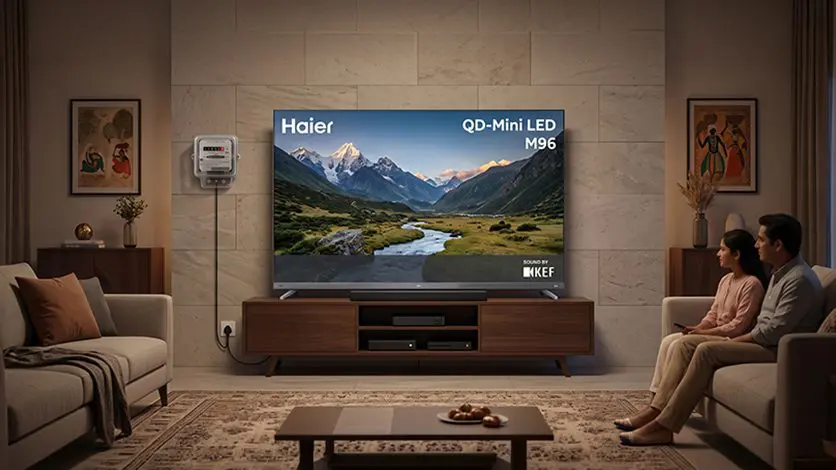
There is no single saving figure because electricity consumption depends on the TV’s power rating, daily viewing hours, brightness level, picture mode, screen size, and your local electricity tariff. But the calculation is simple:
Electricity used = TV power consumption × hours of use
A TV running at 150W for five hours a day uses 0.75 kWh before standby is added on top. Pull the brightness down, cut out idle hours, switch off the devices that are still running when nobody’s watching, and that number comes down gradually.
The biggest improvement often comes from changing habits rather than making one dramatic adjustment.
Want to understand how smart features can help manage everyday electricity use?
Read this blog: How Smart TVs Can Reduce Power Bills.
A Smarter Way to Use Your TV Every Day
Reducing TV electricity use does not have to mean watching less or settling for a poorer picture. A few sensible changes can keep unnecessary consumption under control while allowing you to enjoy the features you actually bought the television for.
Start with brightness and picture settings. Make better use of energy-saving modes. Stop leaving the console or soundbar powered up when they’re not being used. Keep an eye on standby consumption rather than assuming it’s negligible. And when the time comes to replace the TV, treat energy-related features as part of the decision; not an afterthought once you’ve already decided on screen size, resolution, and display technology.
With the right settings and a few better habits, your television can remain a regular part of your home entertainment without quietly using more electricity than it needs.
FAQs
How do Haier Smart TVs help users reduce daily power consumption?
Selected Haier Smart TVs offer Energy Saving Mode and adjustable picture settings that help reduce unnecessary brightness and power use during everyday viewing.
Are there specific times of day when lowering TV brightness is most effective?
Yes, lowering brightness is particularly useful in the evening or in dimly lit rooms, when the screen does not need to be as bright to remain comfortable to watch.
How does screen technology (LED vs. OLED) impact household power efficiency?
Power use varies by model, screen size and brightness. OLED can use less power when displaying darker content, while LED power consumption depends heavily on backlight brightness.
Does keeping a television on “standby” mode waste a significant amount of electricity?
Standby uses far less power than active viewing, but it can still add up over time. Switching the TV off at the mains during long periods of non-use avoids this consumption.
What smart management features are built into Haier television operating systems?
Some Haier TVs offer features such as Energy Saving Mode, automatic picture adjustments, Google TV controls and hands-free voice control, depending on the model.