
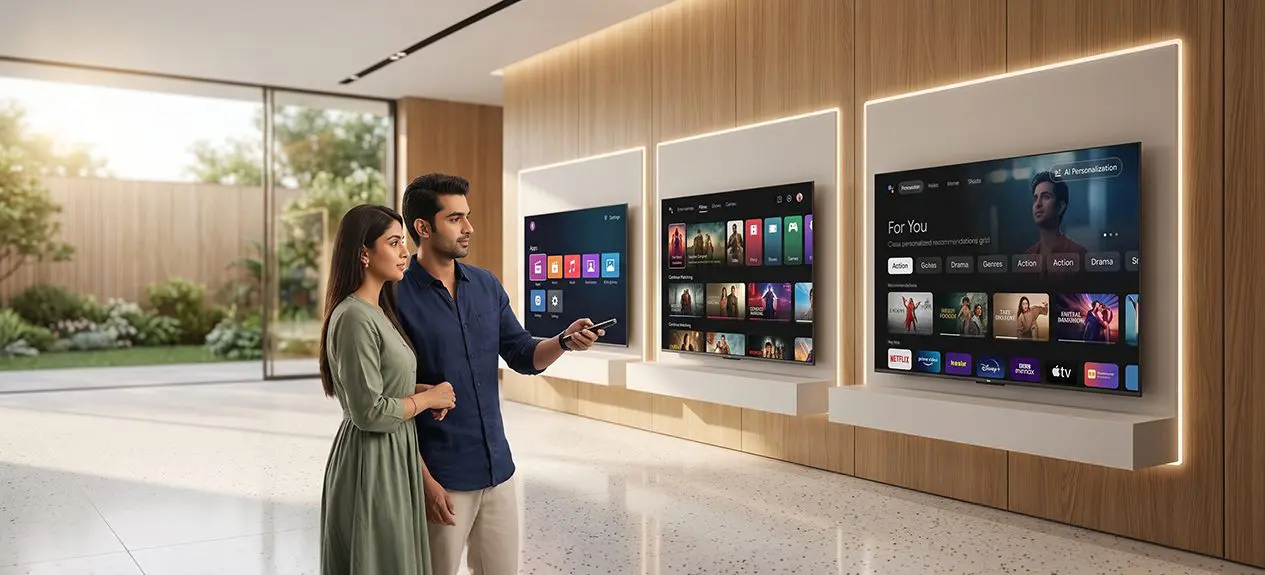

Smart TV, Android TV, and Google TV get used as if they mean the same thing, but they are not. A smart TV is just any television with internet access built in. Android TV and Google TV are two specific platforms that can run on a smart TV, and they are not identical either. If you have ever felt confused shopping for a new television because of this, you are not alone.
This guide breaks down what each term actually means, so choosing between them feels simple instead of technical.
What Is a Smart TV?
A smart TV is any television that connects to the internet and runs apps on its own, without needing a separate streaming box or stick plugged in. It has its own processor, storage, and operating system built into the TV itself, and it connects directly to home Wi-Fi. Think of “smart TV” as the umbrella category, not a specific brand or interface.
Under that umbrella, different manufacturers use different operating systems:
- Android TV and Google TV are two of the most common ones found in TVs sold nowadays
- Some brands use entirely different platforms, like Tizen or webOS
The term “smart TV” itself does not tell you which interface you will actually get.
What Is Android TV?
Android TV is a specific operating system built by Google, designed to run on televisions the way Android runs on phones. Launched in 2014, this has been used across a wide range of TV brands since then. The interface is organised around an app grid, so opening the TV usually means picking an app first, then finding something to watch inside it. It supports the Google Play Store, voice search, and casting from a phone. This app-grid approach is what most people picture when they think of android TV.
What Is Google TV?
Google TV is a newer interface, launched in 2020, that runs on top of the same Android TV foundation. The difference is mainly in how content gets presented. Instead of starting from an app grid, Google TV leads with a personalized homepage that pulls in recommendations across Netflix, Prime Video, YouTube, and other apps all in one place. It still runs Android apps underneath, but the day-to-day experience feels more like browsing content than hunting through separate apps. This shift is really what sets Google TV apart from a standard smart TV experience.
Want to see how Google TV works for every generation under one roof, from kids to grandparents?
Read this blog: How Google TV Makes Streaming Simpler for Every Age Group
Smart TV vs Android TV vs Google TV: The Full Hierarchy
Think of these three as layers rather than competitors. Smart TV is the broad category. Android TV is one operating system within that category. Google TV is a refined interface built on top of Android TV itself.
| Feature | Smart TV | Android TV | Google TV |
| Interface style | Varies by manufacturer | App-grid, open apps to browse | Personalised homepage, content-first |
| Content discovery | Depends on platform used | Manual, app by app | Automatic, across all apps at once |
| Voice assistant | Depends on platform used | Basic voice search only | Deep Google Assistant integration, smart home control included |
| Underlying OS | Any (Android TV, Tizen, webOS, etc.) | Android-based | Same Android-based OS, newer front-end layer |
| Software updates | Depends on manufacturer’s support policy | Slower, brand-dependent rollout | Prioritised by Google for newer features and security patches |
| Learning curve | Varies widely | One extra step, pick an app first | Fewer steps, easier for casual or non-technical users |
| Multi-user personalisation | Depends on platform | Limited profile support | Built-in profiles with tailored recommendations per user |
Worth noting, not every smart TV runs on Android TV or Google TV at all. So when comparing google TV vs android TV, it is really a comparison of two layers of the same underlying system, not two unrelated platforms. For most households, the difference shows up the moment the TV turns on, in how quickly it gets to something worth watching, not in some hidden setting buried in a menu.
Performance, Updates, and Smart Features
Beyond the interface, day-to-day reliability is where the two platforms diverge most over time. Google actively develops Google TV as its primary smart TV platform, so new features and security patches tend to reach it before they reach Android TV, where the rollout depends more on individual manufacturers.
Casting from a phone, controlling connected smart home devices, and syncing across other Google products also tend to feel more seamless on Google TV, simply because it sits closer to the centre of Google’s ecosystem. These are the kinds of differences that don’t show up on a spec sheet but shape how satisfied a household feels with the TV a year or two after buying it.
Choosing the Right Platform for Your Household
If most of the viewing is Netflix and YouTube, either platform handles that fine, since both apps work identically either way. Where the earlier differences actually start to matter is day-to-day convenience, especially for households that browse casually rather than going in with something specific already in mind.
For non-technical users or elderly parents, Google TV is generally the easier option:
- Fewer taps are needed between turning on the TV and finding something to watch
- Less reliance on typing, since voice commands cover most searches
- No need to remember which app a particular show or channel lives in
Explore Our TV Range, From Entry-Level to Flagship
Once the platform decision feels clearer, the next step is finding a TV that runs it well. At Haier, our TV range spans multiple display technologies, and each one carries Google TV or Android TV depending on the model:
- 4K UHD and Full HD range: entry-level and mid-size screens built for everyday viewing, with several models running Google TV
- QLED range: richer colour and brightness, with Google TV and Dolby Vision-Atmos support on select models
- OLED range: deeper contrast and true blacks, built for movie-heavy households
Want to see what else goes into a genuinely smart TV, beyond the interface alone?
Read this blog: Why Haier Leads in Smart TV Innovation
Beyond the TV: Managing a Connected Home
Choosing between Google TV and Android TV is really about how a household interacts with its screen day to day, and Haismart extends that same convenience further. Once connected, it turns the TV into a genuine smart home companion, controlling other Haier appliances, air conditioners, refrigerators, robot vacuums, right alongside the voice control and casting already built into Google TV. For households already leaning toward Google TV for its ease of use, Haismart is a natural extension of that same idea, fewer steps, one connected ecosystem.
Download HaiSmart:
iOS – Search HaiSmart on the App Store
Android – Search HaiSmart on Google Play
Conclusion
Smart TV, Android TV, and Google TV work together as one system, each layer building on the one before it. When it comes down to google TV vs android TV specifically, Google TV tends to offer an easier day-to-day experience, with faster content discovery and fewer steps between turning on the TV and watching something. Whichever platform ends up on the shortlist, understanding this hierarchy makes the decision far less confusing than it first appears.
FAQs
What is the difference between a smart TV, Android TV, and Google TV?
A smart TV is the broad category. Android TV and Google TV are specific platforms within it, with Google TV being the newer, more refined version.
Is Google TV better than Android TV?
It is easier to navigate, not strictly better. Google TV surfaces content automatically, while Android TV needs each app opened individually.
Which TV platform is best if I mostly use Netflix and YouTube?
Either works well. Google TV just makes discovering new content a bit easier.
Which platform is easier to use for non-technical users or elderly parents?
Google TV, thanks to its single homepage and voice search.