
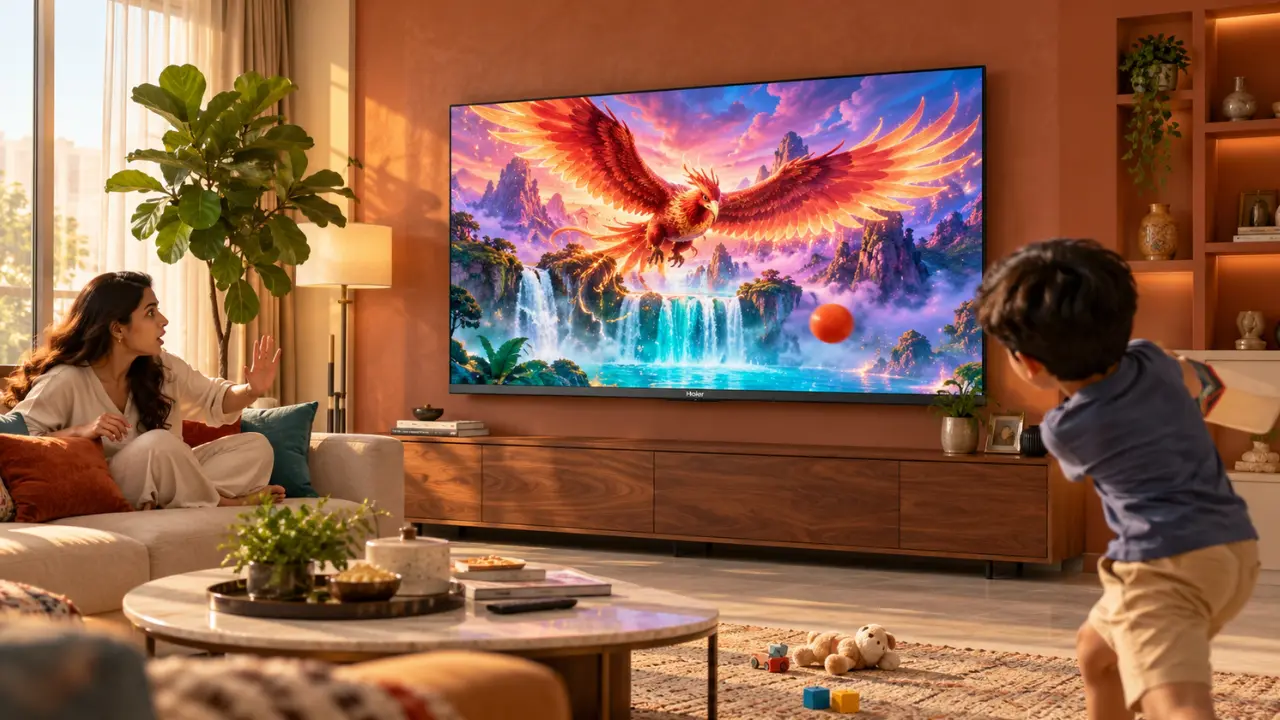

A cricket ball that is flying through the living room. Toddler pressing the screen of a TV in order to touch their favourite cartoon character. Or the person brushing against the display while moving heavy furniture, or something like that. Or by a person brushing against the display when moving heavy furniture.
While these are normal scenarios in Indian homes, if you’re a TV owner you may be concerned about a costly screen repair.
Speaking of which, do you really need a screen guard for your LED TV? Is it a superfluous add-on?
Yes, most modern LED TVs don’t need a screen guard to use on a day-to-day basis. But if the family is more prone to an accidental impact it may be worth considering a protective cover.
It’s always a good idea to know what these accessories actually do to protect, how they impact picture quality and whether or not they are suitable for your television set before buying one.
What Is an LED TV Screen Guard?
LED TV screen guard is another protective shield or screen that is used in front of the television to prevent accidental damage.
Television screen guards are typically larger than the screen protectors for cell phones and can be made with rigid acrylic panels or other protective materials.
They serve as the main function of enclosing the delicate display and external objects.
A screen guard will provide protection against:
- Unintentional contact with toys or household items.
- Scratches that result from external touching or rubbing.
- Fingerprints and contact with the display.
- Some low impact hits as a result of normal activities.
Screen Guards, however, cannot prevent damage due to strong impacts, internal damage to the screen or accidental falls.
One thing to note: A screen guard isn’t a dust cover for a TV. A dust cover is used to cover the television when it is turned off, while a screen guard is typically intended to stay on the screen while the television is on.
Do You Really Need an LED TV Screen Protector?
Not necessarily.
Modern televisions are made to be used in the home and do not need a protective sheet. However, their screens can still be affected by pressure, sharp objects or accidental impacts.
Far more concerning, than the price or size of the TV, is whether or not additional protection is required for your home environment.
When Is It OK to Use a Screen Guard?
Imagine a home room in where kids frequently play near a TV.
Parents can be careful, but toys can sometimes get into the wrong hands.
In these cases an appropriately mounted protective panel can provide an extra line of defense.
One might be considered when:
- Children are present: Toddlers might touch, tap or accidentally hit the screen.
- Indoor games are common: Its indoor games are common and balls etc are also toys which can lead to accidental contact.
- The TV is set at a lower level: If a display is within reach, it might be more exposed.
- There is a lot of moving around in the room: Moving furniture and other household activities may lead to accidental knocks.
But, the effectiveness of protection relies on the design and impact resistance of the screen that is used.
When Is It OK to Not Use a Screen Guard?
However, if your TV is safely mounted and placed out of the way of traffic and treated gently, maybe an extra screen protector isn’t going to be of much practical use.
For instance, a TV in a bedroom mounted high off the floor is normally less susceptible to accidental contact than a TV in a low level entertainment centre.
At those times reasonable installation and periodic maintenance may be adequate.
Will a Screen Guard Impact the Screen Quality of the LED Television?
Yes, and it is one of the things one should consider prior to investing in one.
The TV set is meant to show pictures in a certain brightness, contrast and colour. Adding a material in front of such a screen can affect the perception of those images.
1. Reflections May Become More Noticeable
Envision a game of cricket in the afternoon with the sun pouring in through the living room window!
A reflective surface on the screen protector could create an extra glare.
This can make darker scenes more difficult to see, especially in brightly lit rooms.
2. Colours May Look Slightly Different
The colour appearance or perceived clarity may be altered by some protective materials.
This change can be more or less depending on the optical quality, thickness and transparency of the material.
3. The View of Angles Can Be Influenced
An inadequate screen protector can create reflections or side visual distortion.
This is important in Indian homes where family members tend to sit in front of the TV from various angles.
4. Heat Management Needs to Be Addressed
Televisions produce heat when they are on.
If the screen guard is not positioned correctly so as to not block any ventilation holes or affect the design of the TV, it may be a cause of overheating.
Do not use a protective accessory that will prevent the screen from ventilating or exert pressure on the screen.
Screen Guard or Better TV Placement: Which Works Better?
First, check the location of your TV so you can see if there’s room for an extra accessory.
In some cases, it is easier to take action to change its position.
For example, the positioning of a TV set in an immediate vicinity to a children’s play area will create more chances of accidental impact.
That risk can be lessened by relocating it to a safer spot, without any additional components being added to the screen.
These are some steps that you can take to prevent it:
- Install it in a safe way: Mount it on a suitable wall mount or sturdy television stand.
- Keep toys out of view: Do not put toys in front of the display.
- Provide adequate clearances: Ensure enough space around the TV to allow for ventilation.
- Handle cables appropriately: Loose cables can pull or trip people.
- Don’t apply direct pressure: Do not press against the screen during cleaning and adjusting the TV screen.
Follow the manufacturer’s guidelines for wall mounting and use proper mounting hardware.
Screen guards are a secondary security measure and should not replace the safe installation.
How to Pick the Best Screen Guard for an LED Television?
When you actually require extra security for your home, it’s significant to pick the proper accessory.
If it doesn’t fit properly, a screen guard could be more of a nuisance than it is help.
Check the Exact Screen Dimensions
Not all 43″ TVs are the same size on the outside.
The size of the screen is the diagonal dimension, and not the overall width or height.
Measure before you buy a TV protector.
Consider the Material
Rigid acrylic panels are amongst the choices of television protection.
Materials are not all the same though, however, there are some differences in the transparency, scratch resistance, weight and impact resistance.
Look for a product that has very specific clear specifications not like ‘unbreakable’.
Review the Installation Method
A few protective panels are intended to be positioned in front of the television set, and others have various mounting methods.
Make sure the accessory is not:
- Apply too much pressure on the screen.
- Obstruct ventilation openings.
- Damage sensors, or get in the way of remote controls.
- Make an unstable or unsafe installation.
It’s also good practice to check with the TV manufacturer before installing any add-on accessory.
How to Protect Haier TV Without Diminishing Viewing Experience?
A screen guard is just one of the pieces of protecting a TV.
The choice of TV, the proper installation and careful maintenance of the display are also of major importance.
Households are able to choose televisions based on their viewing needs at Haier India, which comes in various sizes and display technologies.
There are three possibilities that you should consider.
Haier K85 HDR 80 cm (32″) Google TV: The Perfect Solution for Compact Spaces
Not all homes require a big TV.
The Haier K85 HDR 80 cm (32) Google TV (H32K85FX) is a small entertainment unit that is ideal for bedrooms, small living rooms and for second living room entertainment.
It has the following main attributes:
- HD Ready display: Resolution of 1366 x 768 for normal TV use.
- HDR10 and HLG support: Understanding picture technologies that are compatible with each other and improved visual presentation.
- Dolby Audio: To enhance the sound quality of television.
- Google TV: Access entertainment applications and content that are supported.
- Google Assistant: Supports the use of voice functions on supported devices.
- Built-in Chromecast: Content can be cast from compatible devices.
It is not to be overlooked because it is a 32″ version (when space is limited).
However, regardless of any screen size, it remains important for households who are concerned about accidental contact, to choose an appropriate installation height.
Haier S80 QLED 109 cm (43) Google TV: The Perfect Size and Entertainment for Your Needs
If a family isn’t satisfied with a compact television, they can opt for the Haier S80 QLED 109 cm (43) Google TV (H43S80FUX), which boasts a larger television display and extra picture features.
The model includes:
- Resolution 4K UHD (3840×2160): For clear images and for video content that is suitable for 4K UHD.
- QLED technology: Technology that will help to achieve vibrant colour reproduction by making use of the quantum-dot technology.
- HDR10 support: Improves HDR content that is compatible with it.
- Dolby Audio: Provides a more immersive experience.
- Google TV: Organises supported streaming content in Google’s stream.
- Google Assistant: Provides easy-to-use voice control.
- VRR: Supports NVIDIA 4K resolution mode, which reduces screen tearing when using NVIDIA 4K compatible games.
The 43″ TV screen is ideal for everyday family entertainment, as it fits in between the smaller and bigger TV screens.
However, it can impact the clarity that people would expect of a 4K QLED display when adding an inappropriate screen protector.
For an Immersive Viewing Experience, Haier S800 QLED 140 cm (55) Google TV Is There to Deliver
The Haier S800 QLED 140 cm (55) Google TV (55S800QT) is worth considering if you have a large living room or a family that loves watching movies, sports and games on a bigger screen.
Its features include:
- 4K QLED display: Provides detailed visuals and vivid colours.
- Dolby Vision: Improves presentation of compatible HDR content, with enhanced colour and contrast.
- Micro Dimming: Dynamically reduces the backlight to enhance contrast.
- Dolby Atmos: Enables an immersive sound experience.
- MEMC technology: Better motion clarity in fast motion scenes.
- 120Hz DLG technology: For more dynamic motion control in compatible operating modes.
- Google TV: Recommends personalised content.
- Voice operation without pressing buttons: Supports voice operation without pressing buttons.
Family movie nights and cricket matches can be more interesting with the larger display.
However, keep in mind that you need proper installation space for a 55 TV.
For extra protection, select one that fits the size and mounting of the TV set.
How to Clean an LED TV Screen Safely?
The majority of screen issues are the result of improper cleaning.
A person might feel tempted to clean a dusty TV with a piece of cloth that is available. Unfortunately, some rough fabrics and pressure can ruin delicate display surfaces.
Here are some simple guidelines to prevent the spread of this disease:
- Unplug the TV: Before cleaning, turn it off.
- Clean with a clean microfibre cloth: Gently lift the dust off, do not press.
- Don’t spray liquids directly: There are edges and openings through which moisture can get into the television.
- Don’t use harsh chemicals: Household glass cleaners, abrasive, or inappropriate cleaners should be avoided.
- Use only cleaning methods recommended by the manufacturer: Do only those things that the manufacturer recommends.
If fingerprints are present, refer to the user manual for the model before applying moisture or screening cleaning products.
Do not touch the display just to see if it is clean and watch. Fingerprints are just more hassle.
So Is a Screen Guard for a Costly TV Really Worth It?
You can’t tell without knowing the risk of physical damage in your house.
Some screen protection may offer some protection from accidental contact, but not all damage.
There are also potential compromises that come into play with reflections, picture quality and installation compatibility.
Here are three questions you should ask yourself before you purchase:
- Do children, pets or moving objects regularly approach the TV?
- Could safer placement minimise potential for accidental damage?
- Is the protective accessory suitable for the actual television model?
When the threat is minimal, it might be more practical to take a cautious approach and use careful placement and maintenance.
Consider an appropriate solution for protection if the risk is high, taking account of any compatibility or limitations.
For a new TV buyer, Haier India’s offering features smaller, HD Ready TVs and larger, 4K QLED versions which simplify the decision-making process based on entertainment needs and space constraints.
Browse Haier India TV ranges to match your space, viewing needs and family requirements.
Keep the Screen Safe and the Picture Safe!
A TV is a delicate item, but not every TV display requires another layer of protection.
Careful positioning and proper care will do a lot to help maintain the television’s condition for most homes.
If the impact is a true possibility, a compatible screen protector may provide extra protection, but not at the expense of the television’s functionality or safety.
If you want to buy a compact TV, Haier K85 is a good option; if you want a versatile TV, Haier S80 QLED is an ideal choice; or if you want a larger television, Haier S800 QLED is the one to choose. Make the right choice and take proper care of your television and you will enjoy it to the fullest extent of its designed capabilities.
Experience Haier India’s line of Smart TVs and QLED televisions to add entertainment to your daily life.
Frequently Asked Questions
1. Is a screen guard necessary for a 55-inch LED TV?
No. A 55-inch LED TV does not automatically require a screen guard. Additional protection may be useful when the television is exposed to frequent accidental contact, but compatibility and picture quality should be considered.
2. Can a screen guard protect an LED TV from breaking?
A suitable protective panel may reduce damage from certain minor impacts. However, it cannot guarantee protection against strong impacts, falls or internal display damage.
3. Does a TV screen protector reduce picture quality?
Some screen protectors may introduce reflections, reduce perceived clarity or affect colour appearance. The result depends on the quality and optical properties of the protective material.
4. Can I use a mobile screen protector on my LED TV?
No. Smartphone screen protectors are not designed for television dimensions, display construction or installation requirements. Use only accessories intended for the specific television type and size.
5. Is a screen guard recommended for a Haier QLED TV?
An additional screen guard is not generally necessary for normal viewing. If your household requires extra protection, check accessory compatibility and seek appropriate guidance before installation.
6. What is the best way to protect an LED TV at home?
Secure installation, safe placement, proper cable management and gentle cleaning are among the most practical preventive measures. Keeping children and toys away from the display also helps reduce accidental damage.
7. Can a screen guard cause overheating in a television?
An incorrectly fitted protector may interfere with ventilation if it covers airflow openings. Always maintain the clearance recommended by the television manufacturer and avoid accessories that obstruct cooling.